Skip to content
Menu

Best landing page builders for affiliates

The builders that hold up when you buy clicks, ranked by testing, checkout, tracking and real cost.

26 builders ranked

By Marcus Reeve, reviewed by the Lander Report editors. Updated 2026-10-14. I'd start with ElasticFunnels when you buy traffic to your own offer, and with Swipe Pages when a buyer pays you per qualified lead. How we research

A builder that looks fine in a demo can still cost you money once you buy clicks. We rank these 26 on what matters once real ad money is going in: whether a test protects your ad learning, how fast the page ships, whether a sale can be tied back to an ad and an offer, and what the tool really costs once you account for visitor caps and gated testing tiers. Testing comes first because Google's own help page on in-line editing says an edited ad's performance stats reset to zero. The right answer comes down to one question, so we ask it up front: do you take payment on the page, or just send the click onward?

If you sell a course, a group program or coaching calls, the order changes, because course delivery and the fee on each sale start to count. That reader gets separate picks below, under the best funnel builder for coaches and course creators. Buying Facebook and Instagram ads? The phone browser and Meta's learning phase reshuffle the order, so that traffic has its own picks for Facebook ads. Search traffic is judged differently again, on Quality Score and keyword match, so the best landing page builder for Google Ads gets a separate list. And if your checkout is a Shopify store, the theme already takes payment and the question becomes which page layer to add, which we answer under the best landing page builder for Shopify. Running WordPress or WooCommerce? Plugins build the page and the checkout inside your own site, and we rank them under the best landing page builder for WordPress. Paid per qualified lead, or closing that lead yourself after the form? That order is different again, under the best landing page builder for lead generation. A small business selling its own service or product wants contacts, bookings and follow-up in the same login as the page, so it gets its own list of the best sales funnel software for small business. Promoting a ClickBank offer and watching the ad come back disapproved? ClickBank's paid traffic guide asks for a bridge page between the ad and the HopLink. Walk through how to make a landing page for ClickBank, then pick a builder by traffic source from the best landing page builder for ClickBank.

Quick answer

ElasticFunnels is our top pick for most people. I would pick ElasticFunnels if you buy traffic and judge pages by conversion rate. It rotates split-test variants under one URL so your ad learning survives, and it keeps the page, checkout and attribution on one record. It is newer than the established platforms and independent review coverage is still thin, so run one test campaign before moving a whole business.

  • ElasticFunnels. Best for Affiliates who split-test paid traffic. From $97/mo.
  • Unbounce. Best for pure landing pages, with checkout handled elsewhere. From $29/mo.
  • ClickFunnels. Best for running the whole funnel in one place. From $97/mo.
  • Systeme.io. Best for starting on a free plan. Has a free tier.
  • Instapage. Best for ad-to-page personalization at scale. From $79/mo.
  • Landingi. Best for AI pages on a small budget. From $24/mo.
  • Swipe Pages. Best for fast AMP pages for mobile paid traffic. From $29/mo.
  • Leadpages. Best for uncapped traffic with server-side testing. From $99/mo.
  • Checkout Champ. Best for high-volume checkout and upsell funnels. From $300/mo.
  • GoHighLevel. Best for Agencies that need a CRM behind the funnel. From $97/mo.
  • Kajabi. Best for established coaches and course creators selling their own offers. From $179/mo.
  • Kartra. Best for Selling your own offer with email built in. From $52/mo.
  • CartFlows. Best for Self-hosted WooCommerce stores selling their own offer. Has a free tier.
  • FunnelKit. Best for WooCommerce stores that want checkout, upsells and email automation in one plugin. Has a free tier.
  • Builderall. Best for a wide toolkit on one low monthly bill. From €7.50/mo.
  • Elementor. Best for WordPress sites that need a visual lander and can test elsewhere. Has a free tier.
  • GrooveFunnels. Best for Current members running affiliate bridge pages. Has a free tier.
  • Konnektive. Best for high-volume offers that already have their pages. From $500/mo.
  • PageFly. Best for Shopify campaign pages that stay on the store domain. Has a free tier.
  • ThriveCart. Best for your own digital product, with a bump on Standard. From $37/mo.
  • Carrd. Best for a one-page bridge for paid traffic. Has a free tier.
  • Convertri. Best for fast landers and checkout, with email kept elsewhere. From $99/mo.
  • SamCart. Best for a digital product when the order bump requires Pro. From $79/mo.
  • Brizy. Best for hosted client landing pages on a small agency budget. From $19/mo.
  • Framer. Best for campaign pages where the design work is the bottleneck. Has a free tier.
  • Replo. Best for AI-built Shopify pages for Meta ads. Has a free tier.

Selling your own course or coaching instead? Kajabi is the pick if you sell courses or coaching as your main product and want delivery, community, email and checkout in one subscription that takes no cut of your sales. Systeme.io is the pick if you need course sales funnel software live before you commit to a bill above $100 a month. On WordPress, SeedProd is the pick if you want a free landing or hold page without installing a full-site builder. For search campaigns, ElasticFunnels is the pick if you run Google Ads to your own offer and want the page test to leave the ad alone. Leadpages is the pick if you run Google Ads to a lead form and want one page to match many keywords. Swipe Pages is the pick if you send paid traffic to a form and your payout is per qualified lead, not per sale.

Compare all 26

Each price is the monthly starting figure recorded from the vendor.

Tool Starts at Split testing Checkout Free trial
1. ElasticFunnels $97/mo Same-URL, all plans Yes, multi-MID 14-day, no card
2. Unbounce $29/mo A/B on Experiment tier No 14-day, no card
3. ClickFunnels $97/mo Step-level A/B Yes 14-day trial
4. Systeme.io Free / $17 A/B tests Yes, bumps Free plan
5. Instapage $99/mo Server-side testing on Optimize No 14-day, no card
6. Landingi $24/mo Server-side on Optimize tier Basic 14-day, card
7. Swipe Pages $29/mo Server-side testing, from Marketer Stripe, PayPal, Razorpay 14-day, no card
8. Leadpages $99/mo Server-side from Grow, no visitor cap Basic 7-day, card
9. Checkout Champ $300/mo + 1% A/B/C/D, page-level Yes, upsells Demo, no trial
10. GoHighLevel $97/mo Funnel split, not same-URL Yes, order forms 14-day, card
11. Kajabi $143/mo Basic A/B, not same-URL Yes, no revenue share 14-day, card
12. Kartra $52/mo Page-level, not same-URL Yes 14-day, card
13. CartFlows Free, or $99/yr Funnel-step A/B, not same-URL Yes, WooCommerce Free version, no trial
14. FunnelKit Free, or $99.50/yr Funnel-step A/B, not same-URL Yes, WooCommerce Free version, no trial
15. Builderall €7.50/mo No same-URL testing Yes, from Essentials No trial, 30-day refund
16. Elementor Free, or $60/yr
17. GrooveFunnels $0/mo A/B in the builder GrooveSell Signup closed
18. Konnektive $500/mo + $0.20 Not part of the CRM Form code or API Sales call
19. PageFly Free, or $24/mo Bayesian A/B from Optimize Shopify checkout Free plan, no card
20. ThriveCart $37/mo billed annually Checkout A/B on Standard Yes, hosted 30 days, card
21. Carrd Free, or $19/yr Not in the plan lists Embed widgets 7 days, no card
22. Convertri $99/mo Two variants, 50/50 Built-in cart 14-day
23. SamCart $79/mo Checkout A/B on Pro Yes, hosted 7 days, card
24. Brizy $19/mo Page variations on WP PRO Not listed 14-day Cloud trial
25. Framer $10/mo Convert add-on, same day No Free plan, no card
26. Replo Free, or $99/mo annual Split-URL on a subdomain Shopify checkout 1,000 one-time credits

The rankings

1. ElasticFunnels

Affiliates who split-test paid traffic

Starts at $97/mo. Free trial: 14-day, no card.

I would pick ElasticFunnels if you buy traffic and judge pages by conversion rate. It rotates split-test variants under one URL so your ad learning survives, and it keeps the page, checkout and attribution on one record. It is newer than the established platforms and independent review coverage is still thin, so run one test campaign before moving a whole business.

Strengths

  • Variants rotate server-side under one campaign URL, so Meta, Google and TikTok keep their learning and a test never goes back through ad review.
  • The page, the checkout, the rebill and the refund sit on one record, so you stop reconciling four exports to find which ad actually made money.
  • Every feature is on every plan. The plans differ only in page views, brands, custom domains, team seats and automation runs.

Trade-offs

  • It is newer than ClickFunnels or Unbounce, and there is little independent review coverage to check its claims against yet. Until you run real volume through it you are largely taking the vendor's word, which is what you would expect of a platform this new. Run a test campaign before you commit a whole business to it.
  • If all you run is a lander that sends the click to someone else's offer, $97 a month pays for a checkout, a CRM and subscription billing you will leave unused. A lander-only tool from $29 a month covers that one job for less.
Read the full ElasticFunnels review

2. Unbounce

pure landing pages, with checkout handled elsewhere

Starts at $29/mo. Free trial: 14-day, no card.

Unbounce is the pick if you want a fast, mature page builder with AI traffic routing and you do not take payment on the page. Budget for the traffic caps, and note that classic A/B testing only starts on the Experiment plan, above the entry tier.

Strengths

  • A mature drag-and-drop builder with a large template library, trusted by paid-media teams for years.
  • Smart Traffic routes visitors to the variant most likely to convert, useful when a clean A/B test is hard to run.

Trade-offs

  • Plans are capped by monthly visitors, and classic A/B testing only starts on the $149 Experiment plan, so testing on paid traffic is not the cheapest option here.
  • There is no checkout, so sellers with their own offers still need a separate cart.
Read the full Unbounce review

3. ClickFunnels

running the whole funnel in one place

Starts at $97/mo. Free trial: 14-day trial.

ClickFunnels is the pick if you sell your own offer and want the funnel, the checkout and email together, and a test of two step versions is enough. An affiliate sending clicks to someone else's checkout is paying for courses and a cart they will not open.

Strengths

  • Funnels, Smart Checkout with bumps and upsells, email and courses are sold as one account.
  • A headline test is included, so it does not require a second product.

Trade-offs

  • Each test is a pair of variations on one funnel step. The feature page shows those versions on separate paths, with no shared campaign URL, and ad learning is split between them.
  • Launch is priced as an all-in-one package. The partner app starts on Optimize, and people who have run it call the stack heavy for a page-only job.
Read the full ClickFunnels review

4. Systeme.io

starting on a free plan

Starts at Free / $17. Free trial: Free plan.

Systeme.io is the pick if you are starting out or watching every dollar. The free plan runs three funnels with a checkout, order bumps and 0% transaction fees. The builder is plainer than the paid tools and design control is limited.

Strengths

  • A genuine free plan with funnels, a checkout, order bumps, upsells and 0% transaction fees, no card required.
  • Paid plans stay cheap ($17 to $97/mo) and every plan allows unlimited sub-accounts.

Trade-offs

  • The page builder is more basic than Unbounce or Instapage, so fine layout control and a fast page are harder to get.
Read the full Systeme.io review

5. Instapage

ad-to-page personalization at scale

Starts at $99/mo. Free trial: 14-day, no card.

Instapage is the pick if you run many ads and want each matched to its own page, with server-side testing and heatmaps. It is the most expensive option here, and server-side A/B testing only starts on the Optimize plan.

Strengths

  • AdMap and ad-to-page personalization line up each ad with its own page, which pays off across a lot of creatives.
  • Server-side A/B testing avoids flicker, and heatmaps show where visitors drop off.

Trade-offs

  • It is the priciest option here: $99/mo to start with a 15,000-visitor cap, and server-side testing only on Optimize, the plan above Create.
  • There is no checkout, so payment lives in another tool.
Read the full Instapage review

6. Landingi

AI pages on a small budget

Starts at $24/mo. Free trial: 14-day, card.

Landingi is the pick if you want an AI page generator and server-side testing without Instapage's price. Watch the credit system for AI use and the 2,000-visit cap on the entry plan.

Strengths

  • Its AI builder generates a page from a prompt on every plan, and server-side A/B testing arrives on the $119 Optimize plan, below Instapage.
  • Over 400 templates and a low $24/mo entry price for small volumes.

Trade-offs

  • AI generation runs on monthly credits, and the entry plan caps you at 2,000 visits, so real paid traffic pushes you up a tier fast.
Read the full Landingi review

7. Swipe Pages

fast AMP pages for mobile paid traffic

Starts at $29/mo. Free trial: 14-day, no card.

Swipe Pages is a good fit for paid traffic. More than 7,000 marketers use it, and its AMP pages load near-instantly on mobile. Same-URL A/B testing starts on the Marketer plan, conversions are unlimited on every plan, and its 14-day trial requires no credit card. AMP limits custom code, and there are no native heatmaps or call tracking. Buy it if you want a fast, focused landing page with ad-safe testing and a checkout. Look elsewhere if you need a rich, interactive page or a full affiliate-tracking stack in one tool.

Strengths

  • Speed is the point, and it is real. Every page is built on Google's AMP framework, so it loads near-instantly on a phone. For paid traffic that is the number that matters, because a slow lander loses the click before it paints, and reviewers single out the speed above everything else.
  • A/B testing runs on the server under one URL, starting on the $69 Marketer plan, so the destination link stays put and the Meta or Google learning phase stays intact. Dynamic text replacement sets the page headline from the ad copy.
  • It does not punish success. Landing pages and conversions are unlimited across all plans. Only monthly visitors are capped, and the overage is published up front at $5 per extra 5,000 visits, so a winning campaign does not trigger a surprise bill.
  • There is a real checkout and a genuinely free trial. Stripe, PayPal and Razorpay checkout, with order bumps and upsells, is included on every plan. The 14-day trial covers the full product without requiring a credit card, which most rivals do not offer.

Trade-offs

  • That speed comes with AMP's constraints. AMP restricts custom JavaScript, heavy animation and some third-party scripts, so a visually complex or highly interactive page is harder to build here than in Unbounce or Instapage. Reviewers note the layout constraints, though most still find it fine for a standard lander.
  • There are no native heatmaps, and users report tracking gaps such as call tracking, so you lean on your ad pixel, Zapier and an outside analytics tool to see the full picture.
  • There are no server-to-server postbacks to an affiliate network, so a network offer still needs a separate tracker.
  • Server-side A/B testing is available starting on the Marketer plan. The template library and the native integrations are more limited than those of older tools, and support is available during business hours, twelve hours a day, five days a week.
Read the full Swipe Pages review

8. Leadpages

uncapped traffic with server-side testing

Starts at $99/mo. Free trial: 7-day, card.

Leadpages is worth it if you send paid traffic to lead-gen pages and want split tests without a visitor cap. Grow, its first testing plan, runs server-side A/B tests and dynamic text replacement, and no plan meters traffic. Skip it if you only publish pages or sell your own offer with upsells: the publishing plans cannot test, and its ecommerce is basic. Heatmaps and Smart Traffic are on the Optimize plan, and the 7-day trial requires a card.

Strengths

  • Grow is the first plan with server-side A/B testing. The server picks the variant before the page renders, so visitors do not see the original page flash first, and traffic is not capped or metered.
  • Dynamic text replacement puts the ad keyword into the headline from a URL parameter. One page can then match several ad groups, and the AI builder can draft the version you test it against.

Trade-offs

  • The Pro and Business plans let you publish pages. Split testing starts on Grow. Smart Traffic, heatmaps and tests with more than two variants are on Optimize.
  • Ecommerce is basic, so selling your own offer with upsells means adding a separate checkout, and the 7-day trial asks for a card up front.
Read the full Leadpages review

9. Checkout Champ

high-volume checkout and upsell funnels

Starts at $300/mo + 1%. Free trial: Demo, no trial.

Checkout Champ is the pick for an established seller doing real order volume who needs a customizable checkout, one-click upsells and multi-gateway routing on one platform. It processes billions a year and targets direct-response ecommerce. It costs far more than a page builder, and split testing runs page-level A/B/C/D without same-URL rotation. It is overkill for a beginner or a low-volume store.

Strengths

  • A genuinely capable checkout and funnel stack: customizable one-click upsells, order bumps, subscription billing and routing across 270+ payment gateways, on one dashboard with no per-funnel or per-user fees.
  • It is an established, high-volume platform. The vendor reports over $7B processed and 200M+ transactions a year, and every account gets an assigned account manager through a 60-day setup.
  • 4-way A/B/C/D testing is included, so you can pit headlines, prices, products, upsell flows and even gateways against each other without bolting on a third-party app.

Trade-offs

  • Each sale adds a percentage on top of the plan fee. A G2 reviewer said that per-order charge is what pushes the bill up as you sell more.
  • The testing is page-level A/B/C/D and does not rotate variants under one URL, so a paid-traffic affiliate has to design experiments carefully to avoid resetting the Meta or Google learning phase.
  • It rewards experienced operators. Reviewers flag a learning curve and a fiddly setup, and independent proof is thin, with a small self-selecting G2 sample, so confirm support and tracking before you move a live offer.
Read the full Checkout Champ review

10. GoHighLevel

Agencies that need a CRM behind the funnel

Starts at $97/mo. Free trial: 14-day, card.

GoHighLevel is an established agency platform that has facilitated billions in sales and carries strong aggregate ratings. Its page builder and split testing are weaker than its CRM, follow-up automation and client sub-accounts, while billing surprises and slow support recur in user complaints. Buy it for an agency or lead-generation business that needs those systems behind the funnel. Skip it if you only need a landing page and a same-URL A/B test for paid traffic.

Strengths

  • One subscription replaces a stack. You get a CRM and pipelines, email and SMS marketing, calendars, a website and funnel builder, payments and invoicing, courses and reputation tools, with unlimited contacts and unlimited users on every plan.
  • It is genuinely built for agencies. Unlimited sub-accounts start at $297/mo. On Agency Pro, white-label and SaaS Mode let you resell the platform as your own software. Aggregate ratings back the product up: 4.6/5 on G2 and 97% five-star on Trustpilot across 15,000+ reviews.
  • Follow-up automation is the real reason people stay. Leads land in a pipeline that fires SMS, email and booking reminders on their own, which is where long-time users say it beats a pure funnel builder.

Trade-offs

  • It is a CRM and agency platform first, with landers as a supporting feature. Its funnel split test compares a control page against a variation and splits traffic between them, but it is not marketed as the same-URL, server-side rotation that keeps Meta and Google ad learning intact. A paid-traffic affiliate has to design tests carefully to avoid resetting the learning phase.
  • Users report trial charges while the dashboard still showed a free trial, and a downgrade does not cancel add-ons, phone numbers or marketplace apps, so it is easy to run up charges you did not expect. Screenshot every step and clear add-ons before you cancel.
  • Reddit threads describe support tickets open for weeks on billing and technical issues, and users flag intermittent bugs in automations and the funnel builder. The sticker price also understates the bill once phone, SMS, email and AI usage stack on top.
Read the full GoHighLevel review

11. Kajabi

established coaches and course creators selling their own offers

Starts at $143/mo. Free trial: 14-day, card.

Kajabi is real. It is the established, default platform for coaches and course creators, with more than 100,000 businesses on it and no cut taken from your sales. You would regret it as an affiliate buying paid traffic: the product is built to host and sell your own courses, memberships and coaching, and fast landers or the ad-safe split tests that protect a Meta or Google campaign sit outside its focus. It is also expensive, from $143/mo on the annual plan. Buy it if you sell your own courses or coaching and want a website, email, checkout and course delivery in one system. Skip it if you just need a lander and a same-URL A/B test.

Strengths

  • It genuinely replaces a stack, and takes no revenue share. One subscription covers courses, coaching, communities, memberships, a website, landing pages, email, automations and checkout, and Kajabi takes no cut of what you sell beyond standard card processing (2.7 to 2.9% plus $0.30). For a creator selling their own offer, that consolidation is the point.
  • It has a long track record. The vendor reports over 100,000 businesses and more than $12B earned on the platform, and long-time coaches call it the default. You are not betting on an unknown or a brand-new product with no track record.
  • A product, a sales page, an email sequence and a checkout can go live in days. Users who justify the price say that speed is the win, with AI tools that draft the setup.

Trade-offs

  • It is a course and coaching platform first, and page building comes second. Landing pages and funnels are included, but it does not offer the same-URL, server-side split testing that keeps Meta and Google ad learning intact. A paid-traffic affiliate who needs ad-safe A/B tests will not find them here.
  • It is expensive, and the most common complaint is paying that much just to host courses. Plans start at $143/mo billed annually and reach $399/mo, and users say that fee only pays off if you also run the marketing and sales side inside it.
  • The editor frustrates power users, and the platform is sticky. Long-time users call the page and checkout editor unintuitive and dated with limited customization. Once your site, list, products and automations live inside Kajabi, moving out is painful, which makes the monthly fee harder to walk away from.
Read the full Kajabi review

12. Kartra

Selling your own offer with email built in

Starts at $52/mo. Free trial: 14-day, card.

Kartra has been around since 2018, and the vendor reports more than 60,000 businesses use its pages, email, checkout, courses and affiliate program. It is built for selling your own courses and coaching, while its split testing runs page by page without same-URL rotation. Support also draws steady complaints, making it a poor fit for an affiliate buying cold traffic. Buy it if you sell your own offer and want one system instead of a stack, starting at $52 a month on the annual plan. Skip it if you only need a fast landing page and an ad-safe A/B test.

Strengths

  • It really is one system, and reviewers say the consolidation is the point. Pages, email and SMS, native checkouts, courses, memberships, a helpdesk and your own affiliate program run under one login, and users describe cancelling separate CRM, email and cart subscriptions after moving in.
  • From the Starter plan up it takes no cut of your sales (0% transaction fees) and includes unlimited pages, products and courses plus webinars. For a creator selling their own offer, that is a lot of platform for $99/mo on the annual plan.
  • It is established and low-risk to trust. Kartra has run since 2018, reports more than 60,000 customers, and is a known quantity rather than a product that might disappear next year.

Trade-offs

  • It is built to sell your own courses and coaching, and cold paid traffic is a weak fit. There is no same-URL, server-side split testing, so a page test can reset the ad learning Meta and Google rely on, and there are no affiliate-network postbacks for buying traffic.
  • Reviewers who contact support report multi-day waits and generic 'clear your cache' replies, and even satisfied users call the team slow to respond.
  • The $52/mo annual Essentials tier is thin and takes a 5% cut of sales for 5 pages and 1 product. Starter costs $99/mo annually, removes that fee and raises the limits. New users also find the editor dated and slow to learn.
Read the full Kartra review

13. CartFlows

Self-hosted WooCommerce stores selling their own offer

Starts at Free, or $99/yr. Free trial: Free version, no trial.

CartFlows is widely installed and much cheaper than a hosted funnel builder, but it only makes sense if you run your own WordPress and WooCommerce store. It adds a checkout, order bumps and one-click upsells to WooCommerce, and there is a free version to try. Buy it if you sell your own products on WordPress and want funnels without a monthly SaaS bill. Skip it if you send paid clicks to a hosted landing page and never touch WordPress, or if you need same-URL server-side split testing. Support and billing draw recurring complaints, and introductory prices increase upon renewal.

Strengths

  • It turns WooCommerce's plain checkout into a real funnel: optimized checkout layouts, order bumps, one-click post-purchase upsells and downsells, funnel-step A/B testing and analytics, all self-hosted with no cut taken from your sales.
  • It is cheap and established next to hosted funnel SaaS. A free version lives on WordPress.org (4.8/5 from around 486 reviews, 200,000+ active installs), paid starts at $99/year, and it is built by Brainstorm Force, the team behind the Astra theme, so it is not a fly-by-night plugin.
  • It works with the page builders you already use, Elementor, Bricks, Divi, Beaver Builder and Gutenberg, and with standard WooCommerce gateways like Stripe, PayPal and Square.

Trade-offs

  • The loudest complaints are about support and billing: Trustpilot and Capterra reviewers report slow responses, trouble cancelling or getting a refund, and issues left unresolved. The 4.8 WordPress.org rating is far kinder because it reflects plugin installs, where billing disputes rarely surface.
  • It is only a checkout and funnel layer. There is no built-in email or CRM, so recovering carts or following up means bolting on more plugins, and living inside WordPress means setup can be fiddly and can conflict with other plugins.
  • Split tests run at the funnel step inside your own site, so a Meta or Google campaign does not get the one-link rotation that keeps its learning intact. The intro prices also renew higher: $99 renews at $149, $199 at $299.
Read the full CartFlows review

14. FunnelKit

WooCommerce stores that want checkout, upsells and email automation in one plugin

Starts at Free, or $99.50/yr. Free trial: Free version, no trial.

FunnelKit is a widely installed WordPress funnel plugin that bundles email, SMS and a CRM alongside the checkout, so a WooCommerce store selling its own products gets upsells and follow-up in one place. Buy it if you want a checkout that converts, plus automation, without a monthly subscription. Skip it if you send paid clicks to a hosted landing page and never touch WordPress, or if you need same-URL server-side split testing, because its A/B testing runs at the funnel-step level. Support and billing draw recurring complaints, and introductory prices increase upon renewal.

Strengths

  • It is a real checkout and upsell engine, self-hosted with no cut taken from your sales: an optimized WooCommerce checkout, order bumps, one-click post-purchase upsells and downsells, a sliding cart, funnel A/B testing and revenue analytics, all inside your own site.
  • Rare for a checkout plugin, it also includes built-in marketing: email and SMS broadcasts, a visual automation builder, cart-abandonment recovery and a 360-degree contact profile that acts as a light CRM, from the Professional plan up. That is follow-up and cart recovery without bolting on a separate email tool.
  • It is established and cheap next to hosted funnel SaaS: a free Funnel Builder version lives on WordPress.org (rated 4.9, with a large review count), paid plans start at $99.50/year, and it has a long track record under its former WooFunnels name.

Trade-offs

  • The loudest complaints are support and billing. A WordPress.org support thread is titled Worst Ever Company, and a Trustpilot reviewer who tried to cancel says they were ignored until the refund window had closed. That is the same friction to watch on any annual-renewal plugin.
  • It is a WooCommerce tool, so it needs your own WordPress and WooCommerce stack, and reviewers warn it is not plug and play: the automation side has a learning curve, and stacking the plugins it wants can slow a site down.
  • Experiments compare funnel steps on your own pages, so each variant has its own address and the ad platform treats it as a separate destination. Intro prices renew higher too: $99.50 renews at $129, $149.50 at $299, $199.50 at $399.
Read the full FunnelKit review

15. Builderall

a wide toolkit on one low monthly bill

Starts at €7.50/mo. Free trial: No trial, 30-day refund.

Builderall has been around for years, and the vendor reports more than two million users across its website builder, funnels, email, checkout, courses and webinars. It is a poor fit for an affiliate buying cold traffic because it lacks same-URL split testing and affiliate-network postbacks, and it draws repeated complaints about outages and slow support. Buy it if you want a wide set of tools on one low-cost bill and can accept rough edges. Skip it if you need a fast landing page and an ad-safe A/B test.

Strengths

  • One subscription includes a website builder, a funnel builder, MailingBoss email, SuperCheckout, booking, courses, webinars, a CRM and chatbots.
  • The AI build tools are genuinely useful for shipping fast. An AI website builder generates structure and content, an AI email builder drafts broadcasts and sequences, and Magic Lab makes images. For someone launching many angles a week, that speed is real.
  • Builderall reports more than two million users across 25-plus tools and has run for years, so it is a known quantity rather than a product that might disappear next year.

Trade-offs

  • It is not built to run cold paid traffic. There is no same-URL server-side split testing. A page test can put the ad back into the learning phase on Meta and Google, and there are no postbacks to an affiliate network.
  • Reliability is the sharpest complaint. Users report recurring weekly outages, with pages and SuperCheckout failing to load, as well as features breaking after major updates. When ads are running, downtime wastes the ad budget on a page people cannot open.
  • Support and the email tool draw steady criticism: multi-day ticket waits, conflicting answers from agents, and complaints about poor MailingBoss deliverability. The wide toolkit also means less depth, and reviewers say many of the 25-plus tools fall short of products built for a single job.
Read the full Builderall review

16. Elementor

WordPress sites that need a visual lander and can test elsewhere

Starts at Free, or $60/yr. Free trial: .

Elementor is enough for a WordPress lander when you already host the site, you want the page in a visual editor, and you can live without a built-in split test. Step up from the entry Pro plan if the page needs popups or WooCommerce blocks. Keep CartFlows or FunnelKit for the checkout. Move to Leadpages or Swipe Pages when the ad URL has to stay fixed while you test.

Strengths

  • The lander stays in the WordPress dashboard, next to the blog and the theme.
  • Theme Builder is included in the entry-level paid plan, so the offer page can share the site header and footer before you pay for popups.
  • Forms on that same plan can connect to the marketing tools you already use.

Trade-offs

  • The Pro feature lists we read omit a same-URL split test, so a campaign that cannot change its destination still needs another tool.
  • Long offer pages and heavy media slow the editor, which matters when you are revising a page against a deadline.
  • A checkout designed in this editor issues more HTTP requests than the same checkout in the block editor.
Read the full Elementor review

17. GrooveFunnels

Current members running affiliate bridge pages

Starts at $0/mo. Free trial: Signup closed.

GrooveFunnels is real software. People who already have a login can keep GroovePages at $0 a month, and Groove takes 5% only when a sale runs through GrooveSell or GrooveKart. A new affiliate should compare ClickFunnels and Systeme.io, because groove.cm is no longer accepting new signups.

Strengths

  • If you already have a login, the suite is still there, and the product pages still show the page builder and the funnel canvas.
  • The GroovePages FAQ says you can export your HTML and take the pages with you if you leave.
  • The builder includes A/B variants, and the affiliate page covers bridge pages, pre-sell pages, mail follow-up and a members area in one login.

Trade-offs

  • A new visitor cannot create an account from the public site. Any pitch telling you to sign up on groove.cm today contradicts the pricing page.
  • Public threads describe a painful first page, a buggy app, and very slow support. A 2024 thread says the mail editor can log you out and drop unsaved work.
  • A July 2022 post alleges partner payouts stopped that January. The Scale.gg facts page does not promise that Groove data moves across on its own.
Read the full GrooveFunnels review

18. Konnektive

high-volume offers that already have their pages

Starts at $500/mo + $0.20. Free trial: Sales call.

Konnektive is the pick if you already run paid-traffic volume on your own landers and you need multi-MID routing, subscriptions, affiliate commissions and call-center order entry in one CRM. Skip it if you want a page builder, a price on the website, or rebills that can move to another merchant account. Checkout Champ sells the funnel pages for this CRM and shows its Growth price before you book a call.

Strengths

  • Konnektive lists 250+ processors, 100+ currencies and programmable MID selection, and a soft decline on the first sale can cascade across the routing profile.
  • Phone campaigns let a call center enter an order by hand. Lander campaigns connect to pages you already host.
  • Checkout Champ's CRM page says that product is built on Konnektive. The company that sells the packaged funnels says so in public.

Trade-offs

  • Subscription and service fees are non-refundable, and they are not prorated for a partial month. An unpaid balance can disable the account. Your data may be unavailable until that balance is paid.
  • Recurring billings stay on the merchant account that approved the first sale. The routing profile leaves those renewals where they started.
  • User reviews say the admin dashboard takes time to learn. The price comes from a sales call, and the order form you sign can replace the standard agreement.
Read the full Konnektive review

19. PageFly

Shopify campaign pages that stay on the store domain

Starts at Free, or $24/mo. Free trial: Free plan, no card.

PageFly is the pick if you sell on Shopify and want drag-and-drop pages plus A/B tests in one app, on your store's domain. Skip it when many pages must stay live on the cheapest plan, or when the campaign page should sit outside the store.

Strengths

  • Pages and analytics are in the app, and the higher plans add tests and heatmaps. PageFly's homepage compares that bundle with a list of separate apps.
  • The free plan lets you publish one page or section without a credit card, so you can try the editor before you subscribe.
  • A/B testing on Optimize and higher plans uses Bayesian models. You set the metric, the traffic split and the schedule.
  • FlyMate drafts a page from a prompt, and the Builder plan adds a template library.

Trade-offs

  • Live pages are capped on the free plan and on Builder. One merchant had a single published slot left after launch.
  • One merchant needed support almost daily for basic features. Another reported few issues across many stores.
  • Heavy layouts and custom scripts can slow the store. Using the builder on a campaign page is safer than rebuilding every product template with it.
  • Builder does not include A/B tests. Those start on Optimize.
Read the full PageFly review

20. ThriveCart

your own digital product, with a bump on Standard

Starts at $37/mo billed annually. Free trial: 30 days, card.

ThriveCart fits if you sell your own digital products and want a hosted checkout with an order bump and one-click upsells, without the platform taking a percentage of each sale. Choose Standard unless you need affiliate management or more than one order bump. Both of those are on Pro+. Skip it if you need a landing page test that keeps one ad URL, or a checkout that lives inside WooCommerce.

Strengths

  • The homepage lists support as available 24/7.
  • Standard includes unlimited products and funnels, one bump, one-click upsells and downsells, and cart recovery.
  • Monthly plans start with a trial, and that checkout requires a card. The lifetime licence is optional.
  • Pro+ adds the affiliate center, automated payouts, extra bumps, subscription dunning, and custom branding and domains.

Trade-offs

  • A new Standard account does not include affiliate management. The help center explains the upgrade to Pro+.
  • Refund complaints cover the software subscription and a customer refund that posted a second time.
  • A seller comparing carts said outages had stopped customers from paying.
  • A Capterra reviewer dislikes the sales page builder and says clients struggle to find the coupon field.
Read the full ThriveCart review

21. Carrd

a one-page bridge for paid traffic

Starts at Free, or $19/yr. Free trial: 7 days, no card.

Carrd is the pick if you need a one-page bridge for paid traffic and you can pay yearly. Split tests and funnel steps belong on another builder.

Strengths

  • Paid plans renew once a year, so one presell does not become a monthly builder bill.
  • The free plan lets you publish with the core builder without a credit card, which is enough to draft the page.
  • The popular paid tier adds a domain you own, forms, widgets, script embeds and analytics. That is where the pixel and the button go.
  • Templates are responsive, so the mobile view and the desktop view use the same layout.

Trade-offs

  • Each site is a single page. There is no place for an upsell URL, a blog or a checkout step.
  • Pro plans do not include A/B or split testing, so you cannot rotate two headlines on one ad URL.
  • Thin affiliate sites are banned, and Carrd may take them offline. The policy names a page that is little more than a hoplink.
  • People using it for affiliate work say a single page is a weak bet when the goal is ranking in Google.
Read the full Carrd review

22. Convertri

fast landers and checkout, with email kept elsewhere

Starts at $99/mo. Free trial: 14-day.

Convertri is the pick if you run ads to an offer you sell and you want the pages and the checkout in one builder, with email in a tool you already use. Learn the editor before you raise ad spend. The split-test article does not confirm one fixed ad URL.

Strengths

  • Buyers running ads, including one who switched from ClickFunnels, praise the page speed.
  • Checkout supports Stripe, PayPal and Apple Pay, plus order bumps, one-click upsells, subscriptions and coupons.
  • Page copy can follow the keyword in the ad through dynamic text replacement.
  • You can import a page from its URL, and a published URL is meant to stay up if the editor is down.

Trade-offs

  • There is no built-in email autoresponder, so the list stays in an email platform you already use.
  • Public reviews describe slow support, including a publishing problem that drew no reply for two days.
  • A reviewer noted a steeper learning curve than some other builders, so the first pages can take longer.
  • If you go over the plan's traffic limit, you get an email, the pages stay online, and you can buy more impressions.
Read the full Convertri review

23. SamCart

a digital product when the order bump requires Pro

Starts at $79/mo. Free trial: 7 days, card.

SamCart is worth it if you sell your own digital products and need a hosted checkout. Order bumps and one-click upsells require the Pro plan. It is a weak fit if you only send cold traffic to a landing page test, or if you want to pay for the checkout once.

Strengths

  • Checkout Anywhere places the hosted form on a page you already run, and the vendor describes that embed as one line of code.
  • SamPay is listed at 2.9% + 30¢, and the pricing page treats that as the processor fee with no extra platform cut on SamPay.
  • The homepage puts checkout, pages, courses and AI tools on one platform.
  • A seven-day trial is advertised, and the terms say you must cancel before it ends or the first subscription charge goes through.

Trade-offs

  • Order bumps, one-click upsells, A/B testing, Subscription Saver, the Affiliate Center and third-party processors are listed on Pro only.
  • A/B testing is on Pro. If the ad must keep one destination URL, use a landing page builder.
  • Commenters call the upgrade price high. One says a stack past $300 a month per business does not make sense.
  • Cancel at least five days before the next bill. Monthly subscriptions cannot be refunded, and each active subscription has to be cancelled separately.
Read the full SamCart review

24. Brizy

hosted client landing pages on a small agency budget

Starts at $19/mo. Free trial: 14-day Cloud trial.

Brizy Cloud is the pick if you want hosted client landing pages, templates and a reseller tier, with hosting included. Paid-traffic buyers who need to test one ad URL should look at Leadpages and Swipe Pages.

Strengths

  • Premium hosting on AWS is part of Cloud, and the plan comparison lists unlimited visits and storage, so the lander does not come with a second hosting invoice.
  • Unlimited team members are listed on the Cloud plans, which is what you need when a designer and the account lead both open the same project.
  • A Cloud user running a few client sites called the editor pretty easy to use.
  • The reseller tier adds client management and Stripe client billing for shops that charge clients inside the platform.

Trade-offs

  • A/B testing is listed as multiple page variations on WordPress PRO. The Cloud plan comparison has no A/B row, and the PRO line does not say the variations share one ad URL.
  • WordPress users describe the plugin output as messy and bloated, and one site owner reports faulty releases that break a live site after a staging check. Weigh that when the work includes the plugin.
  • An AppSumo buyer said client and subcontractor management barely works for an agency.
  • Each Cloud plan allows as many custom domains as it allows hosted sites. Each additional site beyond that bundle costs an extra monthly fee.
Read the full Brizy review

25. Framer

campaign pages where the design work is the bottleneck

Starts at $10/mo. Free trial: Free plan, no card.

Framer is the pick when the campaign's goal is a form submission or a click, and the design is the bottleneck. Affiliates who need checkout, upsells, or a test that still counts the next morning should start with a lander specialist elsewhere on this site.

Strengths

  • Framer's landing-page solution is built for paid campaigns, waitlists, lead generation and signups.
  • A PPC buyer wrote that a landing-page test can go up without a developer.
  • The analytics page presents the stats as cookieless, with UTM and referrer breakdowns.
  • Staging and branching are on Pro, so a second person can review a page before it is published.

Trade-offs

  • The product pages describe hosting, forms, a CMS and the Convert add-on. They do not describe a checkout, a one-click upsell, an affiliate postback or swapping the headline from the ad keyword.
  • A/B testing is the Convert add-on, capped at five concurrent tests, and billed on events.
  • Framer only counts a conversion on the day of the visit, because the anonymous identifier resets daily. That limit is stated in the help article.
  • A media-heavy site in a public thread exhausted the Pro bandwidth allowance in about a week at roughly 300 visitors a day.
Read the full Framer review

26. Replo

AI-built Shopify pages for Meta ads

Starts at Free, or $99/mo annual. Free trial: 1,000 one-time credits.

Replo is the pick if you run Shopify ads and want an AI agent to build the page, with analytics and a test that starts on its own link. Skip it when the ad has to stay on the live product URL, or when you want the cheapest Shopify page app.

Strengths

  • An agent builds the storefront page and can sync the catalog from Shopify, which is the work a theme project would otherwise take.
  • Starter includes full analytics, unlimited team members and a setup call, so the person buying the ads and the person building the page can share the project.
  • After an experiment ends, the same outbound link can run the next one, so the ad keeps its destination.
  • App Store reviews include merchants who say support replies quickly and the app works.

Trade-offs

  • The Starter plan costs much more than PageFly's builder plan, and one App Store merchant called the pricing aggressive.
  • A test has to start on a Replo link, on a subdomain. The Shopify URL already in the ad can be a variation inside that test.
  • A Shopify developer says Replo does not export clean Liquid by design, so the layout stays in Replo if you later rebuild the theme.
  • Support reviews on the App Store disagree with each other, and Capterra lists zero user reviews.
Read the full Replo review

Winners by segment

Media buyers running network offers

Winner: ElasticFunnels. Its same-URL split testing keeps your Meta and Google learning intact, and affiliate postbacks tie a conversion back to the offer and the ad. The honest caveat is that it is newer than the rest and has little independent review coverage, so run a test campaign before you commit. Runner-up: Unbounce, if you would rather use a mature page builder and handle tracking yourself. ClickBank offers get their own picks by traffic source under ClickBank landing page builders.

Sellers running their own offer

Winner: ElasticFunnels, because the checkout, order bumps and one-click upsells sit on the same record as the page and the ad, so you see which angle actually made money after refunds. Runner-up: ClickFunnels, the established option if you want a large template and training library and do not need same-URL testing.

Starting out or on a tight budget

Winner: Systeme.io, for a genuine free plan with a checkout and 0% transaction fees. Runner-up: Landingi, if you want an AI page generator and server-side testing at a low entry price.

Ad teams running many creatives

Winner: Instapage, for ad-to-page personalization and server-side testing, if the budget is there. Runner-up: Leadpages, for uncapped traffic when you do not want to watch a visitor meter. When those creatives run on Facebook and Instagram, the Facebook ads picks rank the field for that traffic.

Pay-per-lead and cost-per-lead campaigns

The checkout list above answers a seller who takes payment on the page. Pay-per-lead work, and leads you close yourself, are ranked under the best landing page builder for lead generation, which splits a form that posts to a buyer from a form that opens a pipeline.

Best funnel builder for coaches and course creators

A coach has a different problem from a media buyer. The offer is yours: a course, a group program, a paid community or a block of one-to-one calls. You need the sales page, the checkout, the follow-up emails and somewhere for buyers to log in, and every extra tool adds a login and a monthly bill.

So the useful question is which bottleneck you have today. We found four that come up again and again in creator threads, and each has its own winner and runner-up. The table puts the five builders that matter for course sales side by side on the things a creator pays for.

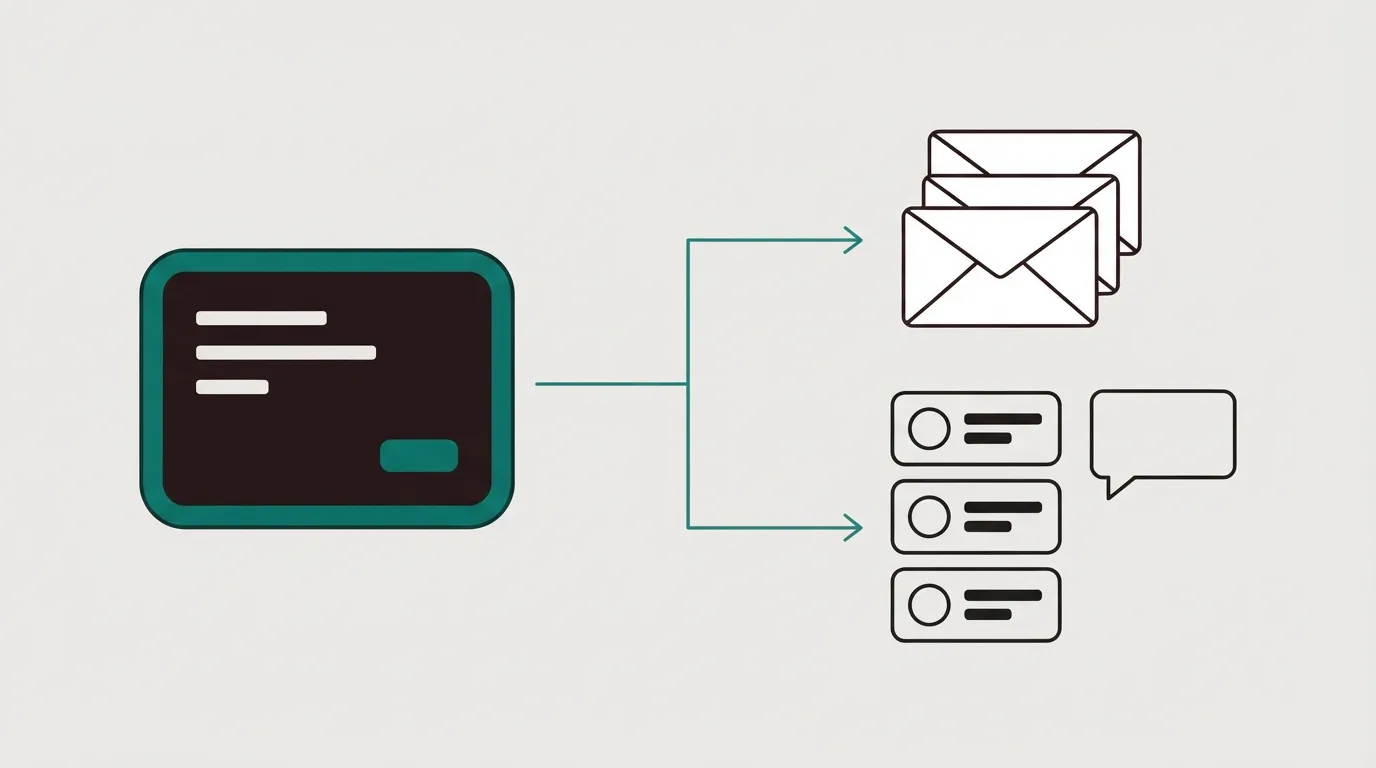
Four lanes from one starting square: a course book, a seedling, a rising staircase and a megaphone aimed at a page, one for each coach bottleneck
Tool Starts at Courses Fee on sales Split testing
ElasticFunnels $97/mo Not listed, host courses elsewhere 0.5% on its own gateways Same-URL, all plans
ClickFunnels $97/mo 3 on Launch No cut of sales Step-level A/B
Systeme.io Free / $17 1 free, unlimited at $97 0% on all plans A/B tests
Kajabi $143/mo Courses, coaching, community No cut of sales Basic A/B, not same-URL
Kartra $52/mo Unlimited from Starter 5% on Essentials, 0% from Starter Page-level, not same-URL

The starting price is the cheapest plan each vendor lists. For Kartra that is Essentials, the plan we tell creators to skip below.

Established coach or course business: Kajabi, then Kartra

Winner: Kajabi. It sells itself as the operating system for experts, and one plan covers the course player, coaching, community, website, email and checkout, with no revenue share on top of card processing. Basic costs $143 a month on annual billing, or $179 billed month to month.

Kajabi's own pricing FAQ makes the case honestly. Next to a plain course host the price looks high, and it only pays off once Kajabi also replaces your email tool, your website and your checkout. Some course sellers on Reddit say the course-building tools are thin for what it costs, so judge it on the whole stack you would cancel. The Kajabi review covers the editor and the lock-in in detail.

Runner-up: Kartra on the Starter plan, with unlimited courses and no fee on your sales. It costs less than Kajabi and leans harder into funnels and email, while its course side has a smaller reputation among creators. Kajabi vs Kartra puts the two side by side, and the Kartra review walks through every plan.

Validating a first offer on a small budget: Systeme.io, then Kartra

Winner: Systeme.io. The free plan gives you 2,000 contacts, three sales funnels and one course with no credit card, which is enough to sell a first cohort and learn whether anyone pays. When it works, the Unlimited plan removes the caps on contacts, funnels and courses, and no plan charges a transaction fee.

The cost shows up later. Reviewers on Trustpilot say it covers a lot of ground without going deep on any one tool, and the page and course tools are simpler than a specialist's. For a creator testing an idea, that is a fair trade. Read the Systeme.io review for where the limits bite.

Runner-up: Kartra, once you outgrow Systeme.io and want deeper funnels and email in one login. Go straight to Starter. Essentials looks cheaper at $52 a month, but it caps you at five pages and one product and takes 5% of every sale. If you are weighing the other usual step up, ClickFunnels vs Systeme.io covers it.

Webinar, challenge and ascension funnels: ClickFunnels, then Kartra

Winner: ClickFunnels. When the business runs on a webinar or a five-day challenge that moves buyers from a low-priced offer into a program, the funnel is the product, and ClickFunnels is built around funnel steps. Launch comes with three courses, Smart Checkout and unlimited funnel visitors, and ClickFunnels takes no cut of your sales.

Three courses is a real ceiling for a creator with a catalog. Creators who have been through it also warn against paying for a full funnel suite before you are running traffic and testing more than one offer. Before that point, the Systeme.io free plan does the job. The ClickFunnels review and ClickFunnels vs Kajabi cover the trade in full.

Runner-up: Kartra Growth, listed at $189 a month, for a coach who wants the funnel, the email sequences and an unlimited course library on one login and finds the three-course cap on Launch too tight.

Coaches on paid ads: ElasticFunnels, then ClickFunnels

Winner: ElasticFunnels. It is a funnel platform for teams running paid traffic, and a coach who fills a webinar or a low-ticket offer from Meta, Google or TikTok ads runs exactly that kind of operation. Its lead feature is same-URL split testing: page variants rotate server-side under one campaign link, so testing a new headline neither sends the ad back through review nor resets its learning.

The rest of the funnel sits on one record. The checkout carries order bumps, one-click upsells and subscriptions, and each order, rebill and refund lands on the same timeline as the click that brought it, so you can see which ad angle produced buyers who stayed. Pages come from an AI builder that drafts from a prompt or clones an existing page from its URL, and a CRM with automations runs on the same data. Every plan carries every feature, there is a 14-day trial with no card, and a 0.5% fee only on revenue taken through its own gateways.

The drawback is plain. ElasticFunnels is newer than Kajabi and ClickFunnels, and there is very little independent review coverage to check its claims against, so until you run real volume through it you are mostly relying on the vendor's word. That is what you would expect from a platform built since 2023, and it matters most to a coach who wants outside validation before moving a live ad account. Course hosting is also absent from its feature list, so a coach with a course library keeps the curriculum on a course host and uses ElasticFunnels for the ad-driven front end and the checkout. The ElasticFunnels review and ElasticFunnels vs Kajabi show how that split works.

Runner-up: ClickFunnels, for a coach who wants course seats and a large template library on one plan and is happy with A/B tests that run at the funnel step. ElasticFunnels vs ClickFunnels compares the two on testing and checkout.

Best landing page builder for Facebook ads

You buy clicks on Facebook and Instagram, someone taps the ad, and your page opens inside the app's own browser on a phone. From there two things decide whether the spend pays back. The page has to open quickly enough that a cold visitor does not swipe back to the feed, and you have to be able to test it without knocking the campaign back to the start.

The second one is where most builders fall short on Meta. Editing an ad's destination, or launching new ads that point at a new URL, counts as a significant edit, and the ad set goes back into learning. ElasticFunnels' guide to split-testing landing pages walks through that rule. A landing page for Facebook ads therefore needs a test that keeps one link in the ad while the page behind it changes, and that requirement orders the picks below.

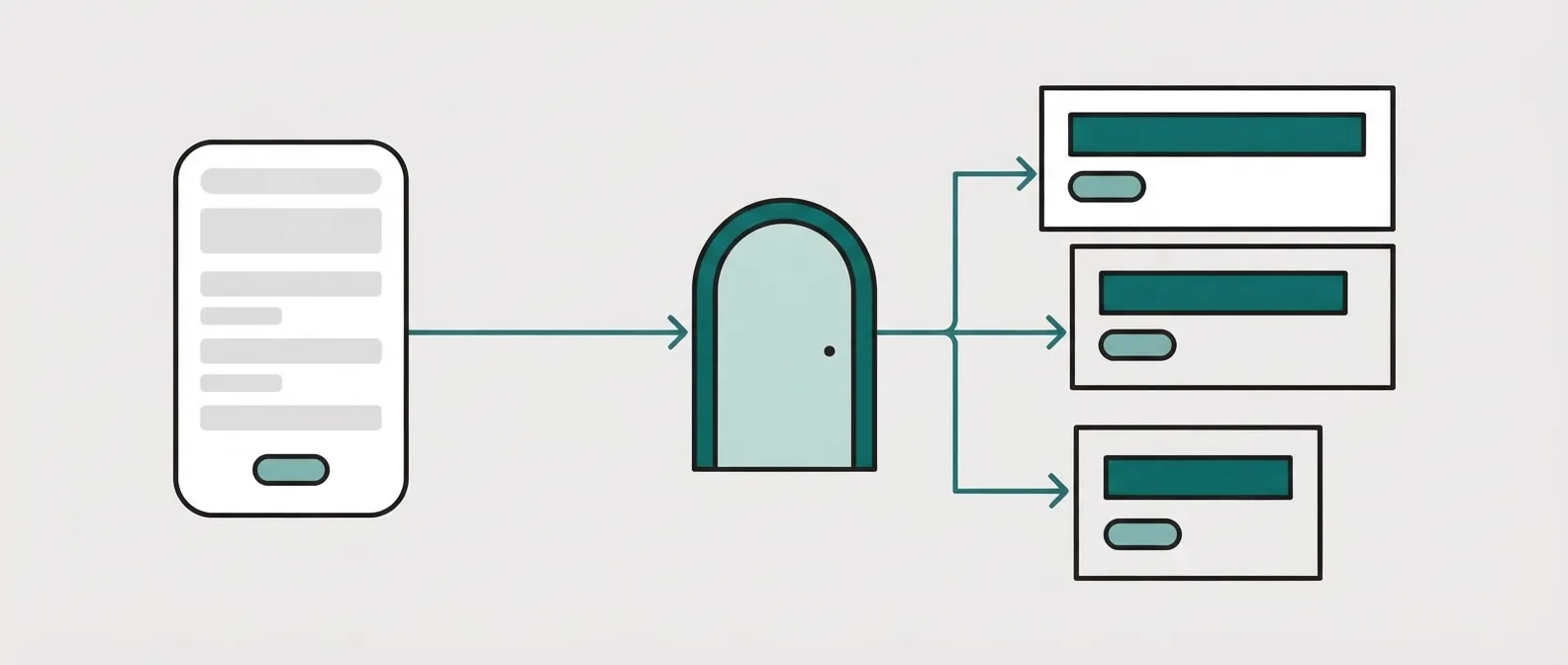
A phone with an ad card sends one line to a single doorway, and behind the doorway the line splits into two page cards that take turns

There are two ways to split a Meta campaign between pages. The usual workaround runs two ads in one ad set, each pointing at its own page. It works, but Meta's delivery chooses which ad gets the budget, so the page result is mixed up with Meta's choice of ad. A server-side test keeps one ad and one URL and rotates the page behind it, which keeps the creative and its destination as a fixed pair while the variants share the visitors.

Tool Starts at Split testing Checkout What matters on Meta
ElasticFunnels $97/mo Same-URL, all plans Yes, multi-MID Variants rotate server-side under one campaign link, so the ad keeps its destination
Swipe Pages $29/mo Server-side testing, from Marketer Stripe, PayPal, Razorpay AMP pages for in-app browsers, with purchase and lead events sent to Meta's Conversions API
Instapage $99/mo Server-side testing on Optimize No A matched page per ad group, with personalization by audience
Leadpages $99/mo Server-side from Grow, no visitor cap Basic Dynamic text replacement echoes the ad copy, and no plan caps traffic
Unbounce $29/mo A/B on Experiment tier No Unlimited A/B tests once you are on the Experiment plan
Systeme.io Free / $17 A/B tests Yes, bumps A free plan with three funnels and a checkout, no card to sign up
Landingi $24/mo Server-side on Optimize tier Basic Low entry price, with server-side tests waiting on a higher tier
ClickFunnels $97/mo Step-level A/B Yes A full checkout, with A/B tests run at the funnel step

Starting prices are each vendor's cheapest listed plan. Several builders keep their testing on a higher plan, which the testing column notes.

Your own offer on Meta: ElasticFunnels, then Swipe Pages

Winner: ElasticFunnels. ElasticFunnels is the pick if you buy Meta traffic to your own offer and need to split-test the page without changing the ad link. It is a funnel platform for teams running paid traffic, and its lead feature does that exact job: variants rotate server-side under one campaign URL, so the ad keeps its creative and destination while Meta keeps optimizing.

The rest of the funnel sits behind the page on one record. The checkout carries order bumps, one-click upsells and subscriptions, and every order, rebill and refund lands on the same timeline as the visit that produced it, so an ad angle gets judged on buyers who kept their order. Pages come from an AI builder that drafts from a prompt or clones an existing page from its URL, and a CRM with automations runs off the same data. Starter already includes every feature, since the higher tiers only raise usage limits, the 14-day trial needs no card, and the only fee on sales is 0.5% of revenue taken through its own gateways.

Its weakness is a lack of external proof. ElasticFunnels is newer than Unbounce, Instapage or Leadpages, and few independent reviews exist to check its claims against, so until you have pushed real volume through it you are mostly taking the vendor's word. That is normal for a platform built since 2023, and it matters most to a buyer moving a large, stable ad account who wants outside evidence before switching. If the page only ever collects a form fill, the checkout and order records are capacity you would pay for and leave idle, and Swipe Pages costs less for that job. The ElasticFunnels review covers the whole platform, and ElasticFunnels vs Unbounce sets its testing against a mature page builder.

Runner-up: Swipe Pages, for a seller who takes payment through Stripe or PayPal on a simple page and wants AMP pages built for phones. Its tests run server-side from the Marketer plan. ElasticFunnels vs Swipe Pages lines the two up.

Lead generation on Meta: Swipe Pages, then Leadpages

Winner: Swipe Pages. Swipe Pages is the pick if you send Meta traffic to a form and need the page to open fast inside Facebook and Instagram. Its paid-social page is written around the in-app problem, warning that cold visitors return to their feeds when a page takes seconds to open, and it builds pages on AMP for mobile speed.

It also posts lead submissions and completed purchases straight to Meta's servers through the Conversions API, so the event reaches Meta from the server as well as from the visitor's browser. Read the Swipe Pages review for the plan where testing starts.

Runner-up: Leadpages. Its Grow plan adds dynamic text replacement, which writes the ad's wording into the page so the headline matches what was clicked, along with manual A/B tests. The trial is seven days and asks for a card. Swipe Pages vs Leadpages compares the two on speed and testing.

Agencies running many creatives: Instapage, then Leadpages

Winner: Instapage. An agency that gives every ad group its own matched page gets the most from it, with personalization by ad and audience plus A/B and AI experiments. Instapage's own figure is 34% higher conversions when ads point at pages that match their message. That number comes from the vendor and we could not check it.

The trial runs 14 days with no card, while server-side testing begins on the Optimize tier, so price that tier before a client pitch. Instapage vs Swipe Pages shows where the cheaper builder is enough.

Runner-up: Leadpages, for a team that would rather not watch a visitor meter as client budgets grow, because no Leadpages plan caps traffic.

A first Meta test on a tiny budget: Systeme.io, then Landingi

Winner: Systeme.io. The free plan covers 2,000 contacts, three sales funnels and one custom domain, includes a checkout, charges 0% transaction fees and asks for no card. When the whole test is a few hundred dollars of ad spend, that keeps the software bill at zero while you learn whether anyone buys. Its testing is basic next to the specialists here, so plan to move once spend is steady. The Systeme.io review lists where the free plan stops.

Runner-up: Landingi, for a low entry price and an AI page generator. Its server-side tests wait on the Optimize tier, which is the plan to budget for before you scale a winning ad.

Lead pages with mature A/B tests: Unbounce, then Instapage

Winner: Unbounce. For a team that never takes payment on the page and wants a builder with years of A/B testing behind it, the Experiment plan is the one to price: $149 a month on monthly billing, or $112 a month billed annually, with unlimited A/B tests. The entry plan builds pages and leaves classic A/B testing out, so the headline figure is not what testing costs. The Unbounce review breaks the tiers down.

Runner-up: Instapage, once the budget reaches its Optimize tier and you want server-side tests with a page per ad group.

Best landing page builder for Shopify stores

Your store already takes the money. What it does badly is greet a cold click. A theme product page is built for someone browsing the catalog, with the menu, the reviews widget and three other products competing for the tap, and a visitor from an ad needs one promise and one button. So a store that buys traffic ends up shopping for a page layer the theme does not give it.

There are two ways to add that layer, and the choice comes before the brand. The first is a Shopify landing page app: PageFly, GemPages, Shogun and Replo install from the App Store and publish pages on your store's own domain, next to the products they sell. The second is a funnel platform that hosts the page and the checkout on a domain of its own and sends each paid order back into Shopify, so the warehouse ships it as usual. Store apps are cheaper and closer to the catalog. The outside layer is for stores that want post-checkout upsells and page tests a theme cannot run.

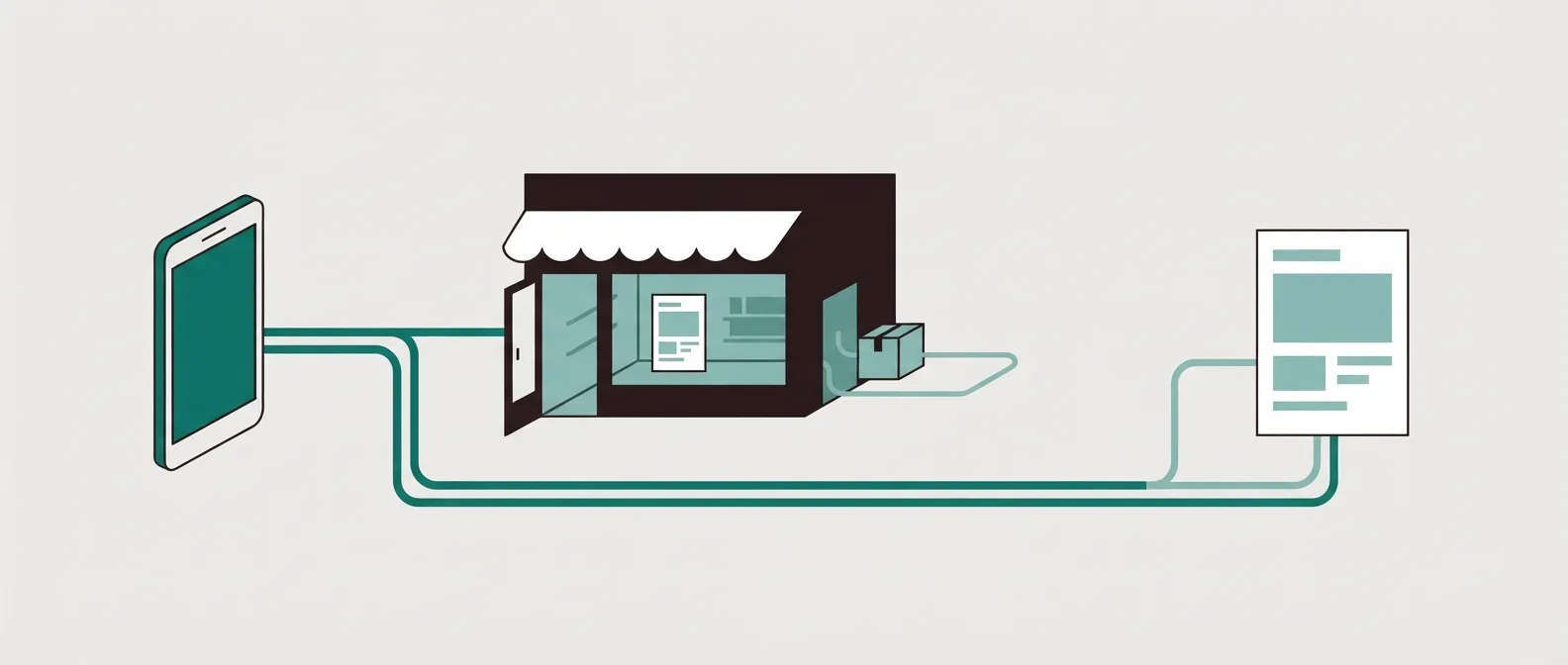
One phone ad splits into two lanes: one lands on a page inside a storefront, the other on a separate page whose orders run back into the storefront and out as a parcel

One warning applies to every app in the first group. Merchants on r/shopify report that page builders can slow a store when a layout piles up elements and custom scripts. That is a reason to keep a builder on the campaign pages that need it and leave the rest of the theme alone.

Tool For $0 Paid from A/B testing Where the page lives
PageFly One published page or section, 10 AI credits a month, no card From $24/mo Optimize plan, from $39/mo Your Shopify store, published from the app
GemPages One published page, sales funnel with upsells capped at $100/mo $29/mo Not listed on the plans we read Your Shopify store, published from the app
Shogun Draft Mode only, no published pages $39/mo Build plan, up to 2,000 tracked users a month Your Shopify store, published from the app
Replo 1,000 one-time credits $99/mo (annual) Split-URL tests on paid plans Your Shopify store, published from the app
ElasticFunnels Trial only: 14-day, no card $97/mo Same-URL, all plans Pages and checkout on your own domain, and each paid order, upsells included, syncs into Shopify for fulfillment

Prices and limits come from each vendor's own pricing page. Replo shows its Starter price on annual billing. Where the testing column says a plan, testing starts there and not below it.

Best free landing page builder for Shopify: PageFly, then GemPages

Winner: PageFly Free. PageFly is the pick if you want one live campaign page on Shopify without paying or adding a card. The PageFly review covers the slot cap, the test plan and what merchants report. The free plan gives you one published slot, which can be a page or a section, plus 10 AI credits a month. For a store testing its first paid campaign, one well-built page is usually all the traffic ever sees.

The ceiling arrives with the second campaign. The Builder plan raises you to between 5 and 15 published slots depending on the tier, and A/B testing stays locked until Optimize at $39.

Runner-up: GemPages Free. It also publishes one page for nothing, and it adds a sales funnel with post-purchase upsells on the free plan. Those upsells stop at $100 of offer revenue a month, which is plenty to see whether shoppers take the offer and too little to run a real campaign on.

Most pages for the least money: GemPages, then PageFly

Winner: GemPages Build. At $29 a month every paid plan publishes unlimited pages, and Build adds 20 theme sections on top. A store that wants a page per ad angle, per collection and per influencer code stops counting slots at that price.

The trade-off is page speed. Shopify owners comparing the two in r/shopify threads describe GemPages as the cheaper option, with a real cost in page speed, so check how a finished page loads on a phone before you pour budget behind it. Upsell volume stays capped at $100 a month on Build. Optimize, at $59, lifts that cap and adds headless instant pages, though GemPages then takes a commission on upsell revenue as it grows, until the Enterprise plan.

Runner-up: PageFly Builder, if you would rather keep its editor and only need a handful of live pages. Its 5 to 15 slots suit a store that retires old campaign pages as it launches new ones.

Shopify landing page app for A/B tests: PageFly, then Shogun

Winner: PageFly Optimize, from $39 a month. A/B testing comes with PageFly's paid plans from Optimize up, and PageFly says its tests read results with Bayesian statistical models. Optimize also adds the sales funnel and an AI page checkup. For a store that tests headlines and offers on its own domain, this is the first plan to price.

Runner-up: Shogun Build, $39 a month, with 25 published pages. Shogun bills its testing by monthly tracked users: every unique shopper who visits a page running an A/B test or a personalized experience counts once that month, and Build covers 2,000 of them. On a page that takes cold paid traffic, 2,000 shoppers can go in days, so Shogun suits slower tests on warm traffic best. Its free Draft Mode publishes nothing, which makes it a design sandbox.

If you want an AI agent to build the pages for you, Replo's entry plan on annual billing comes with 10,000 credits, one custom domain and 100,000 visitor sessions a month. That is well above what the apps above charge, so it earns its place when the hours saved on building pages are worth more than the price gap. The Replo review covers the test link and that bill.

Paid ads with upsells after checkout: ElasticFunnels, then ClickFunnels

Winner: ElasticFunnels. ElasticFunnels is the pick if you buy traffic to a funnel on your own domain, need to split-test the page without touching the ad link, and still want every order shipped from Shopify. It is a funnel platform for teams running paid traffic, and its lead feature is same-URL split testing: variants rotate server-side under one campaign link, so Meta, Google and TikTok keep their learning while the page changes behind it.

Behind the page sits its own checkout with order bumps, one-click upsells and subscriptions. The Shopify side is native order sync. Each paid order is created in the store with the customer, SKU, shipping and tax, and with merging switched on the main sale and its upsells from one funnel session wait together and land as a single Shopify order, so your 3PL app ships one parcel. ElasticFunnels refunds carry over too: a full refund cancels the Shopify order, a partial one creates a Shopify refund. Pages come from an AI builder that drafts from a prompt or clones a page from its URL, and the clicks, orders and refunds sit on one timeline for attribution.

The sync has gaps you should know before you plan around it. ElasticFunnels does not import your Shopify products, synced orders do not reduce Shopify stock, and tracking numbers do not come back from Shopify. The store connects through a custom app set up per brand with the ElasticFunnels team, so it is not a one-click install from the App Store.

Its other drawback is a lack of external proof. ElasticFunnels is newer than ClickFunnels or Shopify's own checkout, and very little independent review coverage exists to check its claims against, so until you run real volume through it you are largely taking the vendor's word. That is what you would expect from a platform built since 2023, and it matters most to a store moving a large, steady ad account that wants outside evidence first. Every feature is included from Starter, the trial runs 14 days with no card, and the 0.5% fee applies only to revenue taken through its own gateways, so sales routed to Shopify Checkout are not charged. The ElasticFunnels review covers the whole platform.

Runner-up: ClickFunnels, for a store that wants an established funnel builder with its own checkout and a large template library and can live with A/B tests that run at the funnel step. We could not confirm how ClickFunnels passes orders to a Shopify store, because its Shopify feature page did not load when we checked, so ask that question before you commit. ElasticFunnels vs ClickFunnels compares the two on testing and checkout, and the ClickFunnels review has the plans.

Best landing page builder for WordPress

Your site already runs on WordPress. The blog ranks, the plugins are paid for, and you would rather not move the whole thing to a hosted builder to get one page that converts a cold click. What you want is the piece WordPress lacks out of the box: a page built for a single offer, and maybe a checkout that sells more than the theme's product page does.

Most roundups answer that with one list, and the tools on it do three different jobs. A page builder plugin (SeedProd, Elementor, Thrive Architect) builds the lander inside your site. A WooCommerce funnel plugin (FunnelKit, CartFlows) owns the path after the click: checkout, order bump, one-click upsell, thank-you page. The third lane sits outside WordPress altogether, a hosted funnel platform for teams whose paid traffic needs page tests that leave the ad link alone. Pick the lane first, then the brand.

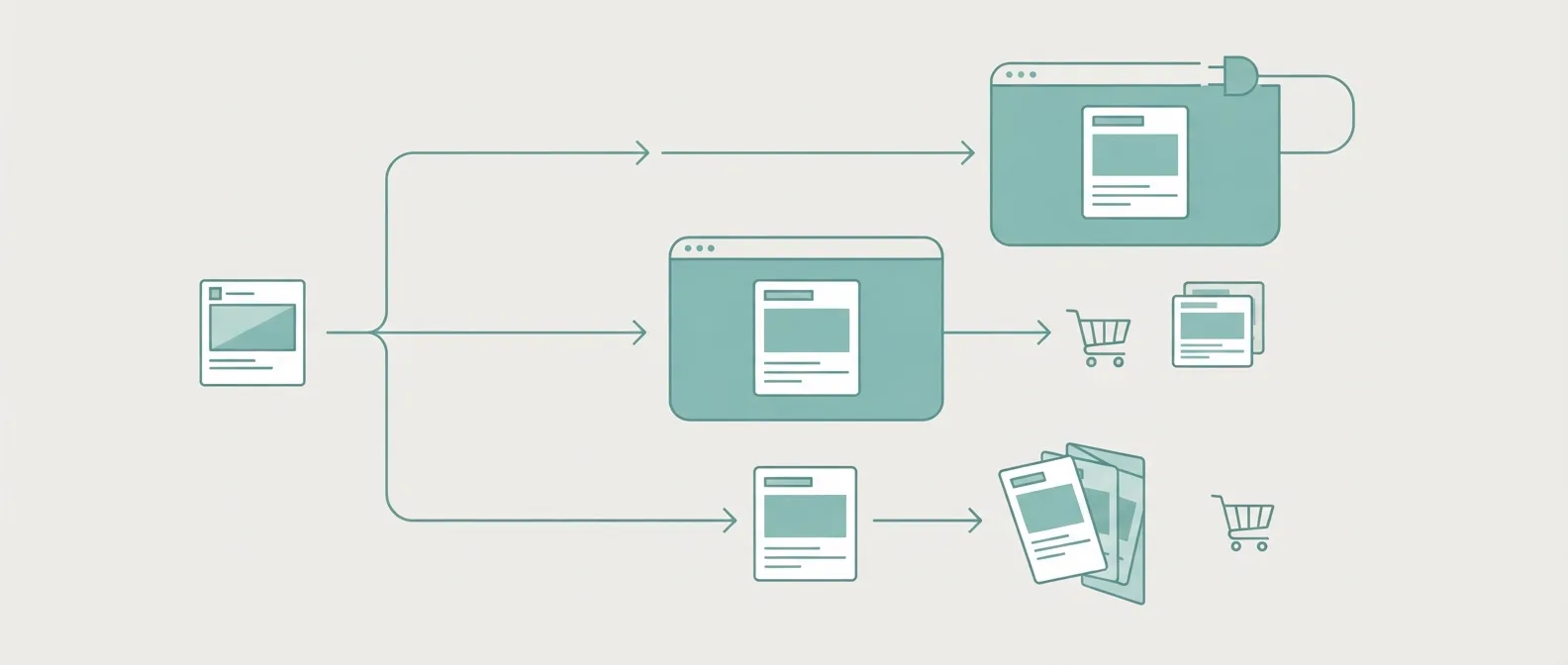
One ad card splits into three lanes: a page inside a website frame, a page plus cart and upsell inside the same frame, and a separate page outside the frame with two variants behind one doorway leading to a cart

Weight is the cost that comes with the first two lanes. CartFlows measured its own checkout page at 35 HTTP requests when built with the block editor, and adding Elementor raised that by 20 to 55. Keep a heavy builder on the campaign pages that need it rather than across every template, and look at the phone load before you buy traffic.

Tool For $0 Paid from A/B testing How it fits WordPress
SeedProd SeedProd Lite: coming soon, maintenance and basic landing pages Listed from $79/yr Not in its feature list Landing page and theme builder plugin, theme building from the Pro plan
Elementor Free core plugin on WordPress.org From $60/yr Not in its Pro feature list Whole-site builder, popups and WooCommerce widgets from Advanced Solo
Thrive Architect + Optimize No free plan $199/yr introductory, one site Thrive Optimize, variants without separate WordPress URLs Page builder with A/B tests, part of the $299/yr Thrive Suite on five sites
FunnelKit Free version, no trial Free, or $99.50/yr Funnel-step A/B, not same-URL WooCommerce plugin: checkout on Basic, funnels, bumps, upsells and A/B tests from Plus, email automations from Professional
CartFlows Free version, no trial Free, or $99/yr Funnel-step A/B, not same-URL WooCommerce plugin: funnel steps, bumps and upsells, with A/B tests on each funnel step
ElasticFunnels 14-day, no card $97/mo Same-URL, all plans Hosted outside WordPress, not a plugin: campaign pages and checkout on their own domain while the WordPress site keeps the content

Plugin prices are yearly licences from each vendor's own pricing page. Several show an introductory first-year price that renews higher, which the picks below spell out.

Best free landing page builder for WordPress: SeedProd, then Elementor

Winner: SeedProd Lite. SeedProd is the pick if you want a free WordPress landing or hold page without installing a full-site builder. The free plugin on WordPress.org covers coming-soon pages, maintenance mode and basic landing pages, which is what a site needs while an offer is being built or a single campaign is being tried.

The free version stops at the basics. The fuller template library for sales, opt-in and webinar pages sits on the paid plans, which list from $79 a year, so a second campaign usually means a licence.

Runner-up: the free Elementor plugin. Its editor reaches every page on the site, which suits an owner who also wants to rework the home page. That reach is also its weight, and the free core leaves out popups, which Elementor Pro keeps for its Advanced Solo tier and above. The Elementor review covers which paid plan adds those popups, and when to pair the editor with a checkout plugin.

Best WordPress landing page plugin: SeedProd, then Thrive Architect

Winner: SeedProd on a paid plan. It is a landing page builder first, so its paid plans open up unlimited pages and the sales, opt-in, webinar, login and thank-you page types without asking you to rebuild the theme. When you do want the header, footer and theme templates under the same editor, SeedProd puts theme building on the Pro plan and above.

What it leaves out is testing. A/B testing does not appear in SeedProd's feature set, so you compare page versions by hand or with another tool.

Runner-up: Thrive Architect with Thrive Optimize, $199 a year introductory for one site, or the full Thrive Suite at $299 a year introductory across five sites. Optimize adds A/B tests to Architect pages and runs them without a separate WordPress URL for each variant. That keeps your site tidy. We have no evidence on how it behaves behind a Meta or Google campaign, so read it as an on-site test and leave ad-learning claims to the hosted tools below.

Best funnel builder for WordPress and WooCommerce: FunnelKit, then CartFlows

Winner: FunnelKit Plus. FunnelKit is the pick if you sell through WooCommerce and want checkout, order bumps, one-click upsells and A/B tests in one plugin that can grow into email later. Plus costs $149.50 for the first year on two sites and lists at $299. Basic, $99.50 introductory, replaces the checkout only and leaves funnels and testing out, so Plus is the tier to price.

The room to grow is the reason it ranks first here. Professional, $199.50 introductory and $399 at renewal, adds email and SMS automations to the same plugin, so cart recovery and post-purchase sequences can run off the same store data. The FunnelKit review covers each tier.

Runner-up: CartFlows Pro, $199 for the first year on three sites, renewing at $299. CartFlows puts A/B split testing on every funnel step, and Brainstorm Force keeps the plugin focused on the funnel, which suits a store that already has an email tool it likes. Starter renews at $149 for one site, above its introductory price. Price the renewal on whichever plugin you choose, since both start well below the list. CartFlows vs FunnelKit sets the two side by side, and the CartFlows review has the plan detail.

Paid traffic beside a WordPress site: ElasticFunnels, then ClickFunnels

Winner: ElasticFunnels. ElasticFunnels is the pick if you buy ads to your own offer and need same-URL split testing with a hosted checkout while the rest of the business stays on WordPress. It is a funnel platform for teams running paid traffic, hosted rather than installed as a plugin. Its lead feature is the gap in the WordPress lanes above: page variants rotate server-side under one campaign link, so Meta, Google and TikTok keep their learning while the page behind the ad changes.

Behind that page sits the rest of a funnel on one record. The checkout carries order bumps, one-click upsells and subscriptions, and each order, rebill and refund lands on the timeline of the click that brought it. Pages come from an AI builder that drafts from a prompt or clones an existing page from its URL, and a CRM with automations works off the same data. Your WordPress site keeps the blog, the SEO pages and the email signup, and the paid campaigns point at the funnel's own domain.

The drawback is a lack of external proof. ElasticFunnels is newer than the platforms it competes with, and there is very little independent review coverage to check its claims against, so until you run real volume through it you are mostly relying on the vendor's word. That is what you would expect from a platform built since 2023, and it matters most to a team that wants outside evidence before it moves a large ad account. Every plan carries every feature, the trial runs 14 days with no card, and the 0.5% fee applies only to revenue through its own gateways. That monthly bill is well above a WordPress plugin licence, which is why it suits ad budgets where a reset learning phase costs more. The ElasticFunnels review covers the platform, and ElasticFunnels vs FunnelKit and ElasticFunnels vs CartFlows weigh it against staying in WooCommerce.

Runner-up: ClickFunnels, the established hosted funnel builder, for a team that wants a large template library and course seats on one plan and is fine with A/B tests that run at the funnel step. ElasticFunnels vs ClickFunnels compares the two on testing and checkout.

Best landing page builder for Google Ads

My take: I would start with ElasticFunnels when a Google click should end in a sale on your own checkout, and with Leadpages when one page has to echo a whole ad group of keywords.

Someone typed a problem into Google, saw your ad and clicked. You paid for that click at auction, and what happens on the page feeds into the price of the next one. Quality Score is built from three parts: expected click-through rate, ad relevance and landing page experience. A page that repeats the searcher's words, opens quickly on a phone and asks for one action works on the third part directly.

Testing that page has its own catch on Google. Google's in-line editing help says that editing a keyword, a placement, or an ad resets that item's performance stats to zero. The same page also says that editing a keyword's landing page URL keeps its stats. Those two lines do not agree, so try a keyword URL change before you edit the ad, and do not treat either line as the whole rule. Google's page on editing text ads says saving an edit creates a new version of the ad, with earlier metrics still visible in version history. The two pages still never share one uninterrupted run of the same ad. Google Ads landing page software that serves its variants behind one final URL runs the split while the ad stays as it is.

A search result card sends one line to a single doorway, and behind it three page cards carry headlines of different lengths, one for each search

Keyword match is the second job that sets search builders apart. Leadpages and Unbounce both sell dynamic text replacement: the ad passes the keyword in its URL and the page writes it into the headline, so one page can serve a whole ad group of related searches. Swipe Pages reads the same parameters and can also serve a different page per ad group from one link. The table lines up the seven builders we would consider for search traffic.

Tool Starts at Split testing Checkout What matters on Google Ads
ElasticFunnels $97/mo Same-URL, all plans Yes, multi-MID Variants rotate under one final URL, and sales go back to Google Ads as offline conversions with the gclid
Leadpages $99/mo Server-side from Grow, no visitor cap Basic Dynamic text replacement and A/B tests on the same plan, with no traffic cap on any plan
Swipe Pages $29/mo Server-side testing, from Marketer Stripe, PayPal, Razorpay A page per ad group, personalized by URL parameter, with lead events sent back to Google Ads
Unbounce $29/mo A/B on Experiment tier No Dynamic text replacement for keyword match, and Google Ads tags placed on every page from Script Manager
Instapage $99/mo Server-side testing on Optimize No A matched page per ad group, with personalization by audience and server-side tests higher up
Landingi $24/mo Server-side on Optimize tier Basic Low entry price and an AI page generator, with server-side tests waiting on a higher tier
ClickFunnels $97/mo Step-level A/B Yes A full checkout for your own offer, with A/B tests run at the funnel step

Starting prices are each vendor's cheapest listed plan. Testing and keyword matching often sit on a higher plan, which the picks below name.

Your own offer on Google Ads: ElasticFunnels, then ClickFunnels

Winner: ElasticFunnels. ElasticFunnels is the pick if you run Google Ads to your own offer and want to split-test the page while the ad, its approval and its stats stay as they are. It is a funnel platform for teams running paid traffic, and same-URL split testing leads its feature list: the server picks the variant before the page loads, under the final URL the ad already uses. Each order is recorded with the variant the buyer saw, so a test is judged on sales and revenue per visitor.

On search, the attribution side matters as much as the test. ElasticFunnels stores the gclid when a visitor lands and, once the sale clears its checkout, sends it to Google Ads as an offline conversion, so the campaign learns from purchases instead of page views. That checkout carries order bumps, one-click upsells and subscriptions, and rebills and refunds join the same timeline as the click. Pages come from an AI builder that drafts from a prompt or clones an existing page from its URL, and a CRM with automations runs on the same data. The Starter plan already includes all of it, because the higher tiers only raise usage limits. The trial runs 14 days without a card, and ElasticFunnels takes 0.5% only of revenue through its own gateways.

Its weak spot is a lack of external proof. ElasticFunnels is newer than Unbounce, Leadpages or ClickFunnels, and very little independent review coverage exists to check its claims against, so until you push real volume through it you are mostly taking the vendor's word. That is what you would expect from a platform built since 2023, and it matters most to an advertiser with a large, steady search account who wants outside evidence before moving it. If your page only ever collects a lead, the checkout and order records are capacity you pay for and leave idle, and the lead-generation picks below fit that job better. The ElasticFunnels review covers the whole platform, and ElasticFunnels vs Leadpages sets it against a search-focused page builder.

Runner-up: ClickFunnels, for a seller who wants an established funnel builder with its own checkout and a large template library, and who can work with A/B tests that run at the funnel step. ElasticFunnels vs ClickFunnels compares the two on testing and checkout.

One page for many keywords: Leadpages, then Unbounce

Winner: Leadpages Grow. Its PPC page puts dynamic text replacement and A/B testing on the same Grow plan. You mark a headline, subheadline, button or form label as dynamic, the ad passes the keyword in its URL, and Leadpages says it swaps the text on the server before the page reaches the browser, with a fallback for visitors who arrive without a keyword. No Leadpages plan caps traffic, so a campaign that takes off adds no overage charges.

Two limits come with it. The trial lasts seven days and asks for a card, shorter than most on this list, and Smart Traffic routing and heatmaps wait for Optimize at $199. Leadpages also claims its server-side swap keeps Quality Score safe, which is the vendor's claim and one we could not measure. The Leadpages review walks through each plan.

Runner-up: Unbounce, which has offered dynamic text replacement for years and pairs it with mature A/B testing on its Experiment plan. It costs more to test on, so it wins the team further down this list. Unbounce vs Leadpages compares the two plan by plan.

A page per ad group, fast on phones: Swipe Pages, then Landingi

Winner: Swipe Pages. Swipe Pages is the pick if you run local-service or lead campaigns with many ad groups and want each one to land on its own fast mobile page. Its Google Ads page is built around a dedicated page per ad group. It reads the parameters your ads already pass (keyword, audience, source and device) and either rewrites the headline or serves a different page from the same link, and A/B tests can run per ad group.

Speed is the other half of the case. Pages follow AMP practices and are served from a CDN in more than 40 locations, and lead events go back to Google Ads through conversion APIs. Its AI builder also drafts the search ad headlines and descriptions next to the page copy, which keeps ad and page saying the same thing. Tests run server-side from the Marketer plan, and the trial is 14 days with no card. The cost-per-lead and CPC figures on its Google Ads page are the vendor's own examples. Read the Swipe Pages review for where each plan stops.

Runner-up: Landingi, with its AI page generator, for a smaller account that needs a few ad-group pages live this week. Its server-side tests wait on a higher tier, so budget for that before you scale a keyword that works.

Search lead-gen teams with a testing budget: Unbounce, then Instapage

Winner: Unbounce. Its PPC page is written around Quality Score and cost per click. Dynamic text replacement matches the headline to the search, Script Manager places the Google Ads conversion tag or Google Tag Manager on every page in one step, and A/B tests cover messaging, offers, design and forms. Smart Traffic, its AI feature, sends each visitor to the variant it predicts will convert.

Price the Experiment plan: $149 billed monthly, or $112 a month billed annually, with unlimited A/B tests. The entry plan leaves classic A/B testing out. Unbounce also prices by monthly visitors, so a search campaign that scales can move you up a tier. The Unbounce review breaks the tiers down.

Runner-up: Instapage, for an agency that builds a matched page for each client ad group and wants personalization by audience, once the budget reaches the Optimize tier where server-side testing starts. Unbounce vs Instapage sets them side by side.

Best landing page builder for lead generation

My take: I'd start with Swipe Pages when a buyer pays per finished form, and I'd start with GoHighLevel when you handle the calls and texts yourself. I'd look at ElasticFunnels once a network has to receive the lead and the page test has to keep one ad link. Cost per lead is the whole business when nobody buys on your page. A network or a buyer pays you for a finished form, or you call the person yourself and the money shows up later. Either way, the checkout ranking above is answering a different question.

There are two paths off the form. One posts the lead to a buyer, a network or Zapier, and your job ends at a clean submit. The other creates a contact you text, call and book, which needs a pipeline.

Two paths leave one form: one arrow reaches a stack of envelopes, the other reaches contact cards beside a message bubble

Swipe Pages draws a similar line on its paid social page. Meta instant forms are easy to submit, which suits cheap top-of-funnel leads. A hosted page makes the visitor read the offer before the fields appear. How those pages behave inside the Facebook app is already covered in the Facebook ads picks. This section is about who receives the lead, and what you are paid for.

Lead gen landing page software, in the table below, is the seven builders we would shortlist for that job. The Starts at column is each vendor's cheapest listed plan. Testing and delivery often sit on a higher plan, which the picks name.

Tool Starts at Split testing Checkout What matters for lead gen
Swipe Pages $29/mo Server-side testing, from Marketer Stripe, PayPal, Razorpay AMP lead pages, multi-step forms, lead events to Meta and TikTok, delivery into CRMs and Zapier
Leadpages $99/mo Server-side from Grow, no visitor cap Basic Unlimited traffic on every plan. Grow adds A/B tests, dynamic text replacement and lead enrichment
Unbounce $29/mo A/B on Experiment tier No Lead forms from the entry plan. Multi-step forms on Build, capped at 20,000 visitors. Classic A/B on Experiment
GoHighLevel $97/mo Funnel split, not same-URL Yes, order forms A submitted form creates a CRM contact and can start SMS or email. The page builder is the weaker part
Systeme.io Free / $17 A/B tests Yes, bumps Free plan covers 2,000 contacts, 3 funnels and 1 domain, with no card
Landingi $24/mo Server-side on Optimize tier Basic Forms on every plan. Build allows 2,000 visits a month. Server-side tests start on Optimize
ElasticFunnels $97/mo Same-URL, all plans Yes, multi-MID Same-URL tests on every plan, form fills into CRM automations, postbacks to networks and trackers

Pay-per-lead form pages: Swipe Pages, then Leadpages

Winner: Swipe Pages, when traffic hits a short form and you hand the lead to a buyer or a network. The homepage includes a Lead Gen Page type, and Swipe Pages says more than 7,000 customers use it to generate leads. Pages are built as AMP, which is the speed story for a cold click on a phone. Forms can run in steps, and a finished submit can deliver a lead magnet.

Delivery is the other half. Direct connections cover HubSpot, Zoho, Mailchimp, ConvertKit, Campaign Monitor and Constant Contact, with Zapier for the rest. Completed lead submissions go to Meta and TikTok through their conversion APIs, so the ad accounts can learn from the form and from the click together. Server-side A/B testing starts on the Marketer plan, billed annually above the Startup plan. Startup includes 20,000 visitors a month, and extra visits bill at $5 for every 5,000. The Swipe Pages review lists where each plan stops, and Swipe Pages vs Leadpages sets the two form builders side by side.

Runner-up: Leadpages on the Grow tier, when you want dynamic text replacement so one page can echo the ad, plus a seven-day trial that asks for a card. Volume, and the missing traffic cap, are the next pick.

Leads you work yourself: GoHighLevel, then Systeme.io

Winner: GoHighLevel, when the hard part starts after the opt-in. Its homepage groups forms, surveys, funnels and landing pages with a CRM and SMS, and describes the job as capturing a lead and carrying it through to a booking. In the funnel builder, a form or survey creates a CRM contact, and a workflow can send SMS or email the moment it submits. That is the product: capture plus nurture.

The page builder is the weaker part. Split tests here compare a control page with a variation. They are not sold as server-side rotation under one ad link, so a media buyer still has to plan the test so the campaign link stays put. Starter includes three sub-accounts, unlimited contacts and users, and a 14-day free trial. Public reports gathered for the GoHighLevel review describe billing surprises and support tickets that stay open for weeks. Leadpages vs GoHighLevel is the comparison when you are choosing a form specialist against this CRM.

Runner-up: Systeme.io, when the list is still small and you want email plus a simple contact list without paying for a full funnel platform. The free plan covers 2,000 contacts. The zero-budget case is spelled out further down.

High-volume lead forms: Leadpages, then Unbounce

Winner: Leadpages Grow, when a campaign sends enough clicks that a visitor ceiling would start billing you. On its pricing page, Leadpages says every plan includes unlimited traffic and charges no overage for it. Grow adds manual A/B testing, dynamic text replacement, manual personalization and lead enrichment, with 1,000 enrichments a month on that tier.

Runner-up: Unbounce Experiment, when you want a mature A/B test setup and you can live with a cap. Experiment bills monthly or annually and includes unlimited A/B tests. Build, the tier below, caps traffic at 20,000 visitors. Lead gen forms start on the entry plan, and multi-step forms start on Build. The Leadpages review and the Unbounce review go plan by plan, and Unbounce vs Leadpages lines the caps up. An agency building a lead page per client can also read the Instapage review.

A first test on a free plan: Systeme.io, then Landingi

Winner: the Systeme.io free plan, when you need a form, a funnel and email before you pay for software. The pricing FAQ says that plan supports up to 2,000 contacts, three sales funnels, one blog, one course, one affiliate program and one custom domain, with unlimited emails and no credit card. Three funnels is enough to see whether a lead offer converts. Past 2,000 contacts you are on a paid tier.

Runner-up: Landingi Build, the annual entry plan on its homepage, with 10 active pages and 2,000 visits a month. Forms and integrations are on every plan. Server-side A/B testing starts on Optimize, so budget for that tier before you scale a form that is already working. The Systeme.io review and the Landingi review cover the limits.

Paid traffic to lead offers: ElasticFunnels, then Swipe Pages

Winner: ElasticFunnels. ElasticFunnels is the pick if you buy traffic to lead offers and need same-URL split tests plus postbacks to networks and trackers on one timeline. It is a funnel platform for teams that run paid traffic: the pages, the tests, the checkout, a CRM and attribution sit on one record. For a lead offer, same-URL testing and attribution are the parts that decide the fit. The server rotates variants under one campaign URL, so Meta, Google and TikTok keep the same creative and destination pair. An AI builder can draft a page from a prompt or clone one from a URL. That is how a variant gets made, alongside the test, the checkout, the CRM and the postbacks.

On its integrations page, UTMs and ad click IDs are stored when the visitor lands. A form entry can start an automation that writes the contact into the CRM and can email them, and conversions post back to the ad platforms from the server. Affiliate networks and trackers, including BuyGoods, ClickBank, JVZoo, Digistore24, Everflow and RedTrack, receive conversions by postback. If some offers also take payment, the checkout is on the same account, with order bumps and one-click upsells. The form path is an automation into the CRM.

Every feature is on every plan, and Starter is the entry price in the table. The trial is 14 days and does not ask for a card, and you can set up pages, funnels and a custom domain during it. ElasticFunnels charges 0.5% of revenue processed through its own gateways. Leads and sales sent to an outside network are not charged that fee.

ElasticFunnels is newer than the platforms it competes with, and there is very little independent third-party review coverage to check its claims against. Until you run real volume through it, you are largely taking the vendor's word. That is what you would expect from a platform built since 2023, and it matters most to a buyer who wants external evidence before moving a large ad account. The pages, the automations and the postbacks still run while that volume builds.

A reader who only needs a low-cost form page should start with Swipe Pages. The tests, the CRM automations and the network postbacks on ElasticFunnels stay on the account if the work later includes payment or a tracker. The ElasticFunnels review covers the rest of the platform. ElasticFunnels vs Swipe Pages is the form-builder comparison, and ElasticFunnels vs GoHighLevel is the one when the pipeline after the form is the bottleneck.

Runner-up: Swipe Pages, for a form-only cost-per-lead page when you do not need network postbacks in the same tool. Its delivery is Zapier and the CRMs named above, and a tracker would sit beside it.

Best sales funnel software for small business

You run a studio, a clinic, a trade business or a small product brand. You want the page, the checkout, the emails and the follow-up behind one login, and you do not want a stack built for someone sending cold clicks to another company's offer. Most funnel rankings, this one included up to here, are written for that affiliate. A small business weighs the same all-in-ones on other things: how many contacts the plan holds, whether a lead can book a slot, and how much follow-up runs without you.

My take: I'd open the Systeme.io free plan first, move to GoHighLevel on the day leads need a call or a text back, and look at ElasticFunnels once you are paying for ads to your own product.

Systeme.io is the pick if you want a first funnel, a checkout and email live before you pay for any software. GoHighLevel is the pick if you sell by appointment and every lead should get a text. ElasticFunnels is the pick if you buy ads to your own offer and need to test pages without touching the campaign.

One line threading a page card, a shopping bag, an envelope, a calendar and a message bubble, the pieces a small business wants under one login

The table lines up the six all-in-ones we would shortlist on what a small business pays for. Starts at is the cheapest plan each vendor lists, and each pick below names the plan you would actually run.

Tool Starts at Contacts and CRM Automated follow-up Split testing
Systeme.io Free / $17 Contacts and email on every plan, 2,000 contacts free Visual workflows on all plans. One rule free, unlimited rules on Unlimited A/B tests
GoHighLevel $97/mo CRM, appointment booking, SMS and review requests in one app Workflows across email and SMS. Texts, calls and AI bill by usage Funnel split, not same-URL
ElasticFunnels $97/mo CRM and call center on the same record as each order Automations included, 10,000 runs a month on Starter Same-URL, all plans
ClickFunnels $97/mo Contacts and email, 10,000 contacts on Launch Email on Launch. Workflow automations are not marked on Launch Step-level A/B
Kartra $52/mo Contacts and email, 2,500 contacts on Starter Email sequences in the same login Page-level, not same-URL
Builderall €7.50/mo CRM, SMS and eLearning from Advanced, the first plan with the funnel builder Email and SMS from Advanced No same-URL testing

Builderall's cheapest plan has no funnel builder, and Kartra's cheapest takes a cut of each sale, so the picks name the plan above each.

A first funnel on almost no budget: Systeme.io, then Builderall

Winner: Systeme.io. The free plan holds 2,000 contacts, three sales funnels, one course and one custom domain, with no credit card. That covers a sales page, an order form and a welcome sequence for a first product, and Systeme.io lists no transaction fees on payments through Stripe or PayPal.

Follow-up is where the free plan stops short. Its pricing FAQ allows one automation rule, enough to tag a buyer or start one sequence. Startup at $17 a month lifts the limits to 5,000 contacts and 10 funnels. Reviewers on Trustpilot describe it as broad rather than deep, which is a fair trade while you find out whether anyone buys. The Systeme.io review walks through each tier, and ClickFunnels vs Systeme.io covers the step up most owners consider next.

Runner-up: Builderall Advanced, at €45.75 a month on annual billing, for an owner who wants a CRM, SMS and course hosting in the same paid plan as the funnel builder. Read its plan table before you buy: the funnel builder is missing from Core and Essentials. It has no same-URL testing, and Trustpilot reviewers report outages, both covered in the Builderall review.

Sales funnel management for a service business: GoHighLevel, then ClickFunnels

Winner: GoHighLevel. On its pricing page it says most users replace their CRM, funnel builder, email software, appointment scheduler, SMS tools and review management with it. For a clinic or a contractor, that puts the opt-in, the booking calendar and the reminder text on one contact record. Starter includes three sub-accounts with unlimited contacts and users, and the 14-day trial opens every feature of the tier so you can build a funnel and test an automation first.

The subscription is only part of the bill. Texts, calls and AI features are charged by usage on top, so a business that messages every lead should budget for that line from the first month. Public reports gathered for the GoHighLevel review also describe billing surprises and slow support. If you are unsure you need SMS at all, Systeme.io vs GoHighLevel sets the cheaper email-first option beside it.

Runner-up: ClickFunnels, for a business whose customers buy straight from the funnel without a booked call. Launch keeps funnel visitors unlimited, and the pricing FAQ says ClickFunnels takes no percentage of your sales. Webhooks and API access start above Launch, so price the next tier if the funnel has to feed a separate booking tool or CRM. The ClickFunnels review lists what each plan holds.

Automated sales funnel software: Systeme.io Unlimited, then GoHighLevel

Automation here means rules that act without you: a purchase tags the contact, the tag starts a sequence, a missed step sends a reminder. For this job the tier you buy matters as much as the brand.

Winner: Systeme.io Unlimited. Its marketing automation builds visual workflows with triggers, delays and branches whatever you pay, and each tier sells you a number of rules. Unlimited removes that cap along with the caps on contacts, funnels and courses. When your follow-up runs on email, that is a complete automated funnel with no fee taken from sales.

Runner-up: GoHighLevel, when the follow-up has to reach a phone. Its workflows can send a text or an email the moment a form is submitted, and each text adds to the usage charge. Leave the Systeme.io free plan out of this comparison: its single rule runs one welcome sequence and nothing after it.

A small business buying ads to its own offer: ElasticFunnels, then ClickFunnels

Winner: ElasticFunnels. It is a funnel platform for teams that run paid traffic, and a small brand spending on Meta, Google or TikTok to sell its own product is that kind of team at a smaller size. Same-URL split testing is what decides the fit: page variants rotate on the server under one campaign link, so a new headline goes live without editing the ad, and the campaign keeps its learning.

The rest sits on one data layer. The checkout carries order bumps, one-click upsells and subscriptions, and each order, rebill and refund lands on the same timeline as the visit that produced it, which shows you which ad brought buyers who stayed. An AI page builder drafts a page from a prompt or clones one from a URL, and a CRM, automations and a call center work off the same records. Plans differ only in usage limits, never in features. The trial runs 14 days without a card, and the 0.5% fee applies only to revenue taken through its own gateways. Plans meter page views, so run your expected traffic through the landing page builder cost by monthly traffic calculator first.

The drawback is plain. ElasticFunnels is newer than ClickFunnels, GoHighLevel and Systeme.io, and there is very little independent third-party review coverage to check its claims against, so until you run real volume through it you are largely taking the vendor's word. That is what you would expect of a platform built since 2023, and it weighs most on an owner who wants outside proof before moving a live ad budget. The ElasticFunnels review covers the whole platform, and ElasticFunnels vs GoHighLevel helps when bookings and texts matter as much as the ads.

Runner-up: ClickFunnels Launch, for an owner who wants a large template library and unlimited funnel visitors and is content to test at the funnel step. ElasticFunnels vs ClickFunnels compares the two on testing and checkout.

Webinars, courses and products in one bundle: Kartra, then Systeme.io Webinar

Winner: Kartra Starter, for a business that sells several products and runs webinars to do it. The plan includes unlimited pages and products, webinars and 2,500 contacts, and charges no transaction fee. Go straight to Starter, since Essentials takes 5% of every sale. The Kartra review covers each plan.

Runner-up: the Systeme.io Webinar plan at $47 a month. It adds evergreen webinars and raises the limits to 10,000 contacts, 50 funnels and 20 courses, which is four times Kartra Starter's contact allowance for less money. Kartra keeps the edge on pages and products, where it sets no cap.

How to make a ClickBank landing page

The ad was disapproved, or the account was, and you cannot tell whether the HopLink, the copy or the kind of page caused it. Send the ad to a real page on a domain you control. Put the HopLink on the button.

This section shows how to build the page: the steps, three page structures and the six builders that can host a bridge. If you already know how a bridge works and only want to know which builder fits your traffic, skip to the ClickBank picks by situation.

The wider picture, if you are still choosing a funnel tool around this page, is in sales funnel software for paid traffic. ClickBank's own paid traffic guide is the source for the HopLink rule below.

How to create the page

Work in this order. Each step is there because an ad review or a ClickBank rule fails when it is skipped.

  1. Read the offer's affiliate tools page first. Allowed claims, creatives and the HopLink are there. So are the extra disclaimers some categories require. Write from that page, and leave medical or income lines you did not find there off the bridge.
  2. Host the page, then make the HopLink. Register a domain or subdomain you control and generate the HopLink in ClickBank. ClickBank says some affiliates have had ad accounts shut down after putting a hoplink directly in the ads, and it recommends a bridge page for that reason. The ad destination is your page.
  3. Match the headline to the ad. The first screen should repeat the promise the click already made. A page that opens on a different claim is the mismatch that gets a destination turned down.
  4. Put the HopLink on the button, and disclose the commission. One primary button carries the tracking link. If the page reads as a review or a comparison, say above that button that you earn a commission. ClickBank's promotional guidelines forbid affiliates from posing as a neutral third party who compares products in order to earn a commission on one of them.
  5. Cut the copy those guidelines ban. Fear and panic are out. So is false scarcity, such as a countdown that resets or a low-stock line when supply is open. So are blind offers: a pitch that promises what someone can earn or achieve and never says how the product does it.
  6. Publish on HTTPS, as a real page. Affiliate marketers in a public thread warn that a redirect-only destination gets ad accounts banned. Ship a page with a headline and a button, on a secure address, and let the visitor choose the click.
  7. Install the ad pixel on your page. The button sends the visitor to the vendor. If the builder can count that button click apart from the page view, keep the two numbers side by side so you can see who left for the offer.
  8. Test the next angle on the same URL. A new destination link is a new thing for the ad platform to review. ElasticFunnels rotates variants on the server under one campaign URL, and its site says Meta, Google and TikTok never reset learning because of that. Whether a Meta reviewer treats that rotation as acceptable is still unsettled here. Keep every variant consistent with the ad, because review judges what the page shows. Size the test with the split test sample size calculator before you call a winner.

ClickBank landing page templates

Three structures cover what people mean by a ClickBank landing page template. They are layouts, described below, and each one still has to pass the copy rules above.

Advertorial bridge

This is the ClickBank landing page example the paid traffic guide describes in its own words: an article-style page, a curiosity headline, and a button to the HopLink. ClickBank says the ad creative should earn the click into that article, and that the seller's sales page closes the sale after the HopLink. Use it when the ad teaches or teases and the vendor page does the pitch.

Quiz or question bridge

One question on each screen, then a result page whose button is the HopLink. It fits a broad ad, because the questions do the message match that a single headline cannot. Keep the questions about the problem the offer addresses, and keep the result page honest about being a step toward that offer.

Short review bridge

A short page that states what the offer is, who it is for, and the commission you earn, then one button. It cannot pretend to be an independent comparison site. ClickBank's guidelines are explicit that an affiliate may not pose as a neutral evaluator. ClickBank's own account of how the marketplace works says it is set up for direct response offers, with a sales page built for an immediate purchase. That pitch page is the vendor's. Your page warms the click.

Tool Your domain Same-URL test ClickBank path Trial Best for
ElasticFunnels Yes, on your domain Yes, every plan Hoplink, or a vendor pitch flow 14-day, no card Split-testing a bridge under one ad URL
Swipe Pages Yes, on your domain A/B on the page Hoplink on the button 14-day, no card Fast mobile pages for Facebook traffic
Leadpages Yes, on your domain Yes, on Grow Hoplink on the button 7-day, card A simple bridge with tests on Grow
Systeme.io Yes, on your domain A/B in the funnel Hoplink on the button Free plan A first bridge with no card
Landingi Yes, on your domain On a higher tier Hoplink on the button 14-day, card A lower bill at moderate volume
Unbounce Yes, on your domain On a higher plan Hoplink, checkout on ClickBank 14-day, no card Pages you already run for Google Ads

Trial text is each vendor's own trial line. The order is for a ClickBank bridge, which is a different job from the main ranking above.

1. ElasticFunnels: best for one link

ElasticFunnels is a funnel platform for teams that run paid traffic. Pages, same-URL split testing, checkout, a CRM and attribution sit on one data layer. For this job the testing comes first: variants rotate on the server under one campaign link, so a new bridge headline goes live while the ad keeps the URL it was approved with.

The page itself can be drafted by the AI builder from a prompt, or cloned from a URL, which is a practical way to model a bridge you have already seen pass review. An affiliate only needs the page and a button that sends buyers to ClickBank. A vendor who already has an approved pitch flow can go further: the ClickBank integration uses encrypted instant notifications, buy tags and pitch flow IDs, and you can swap the page behind a funnel node while the pitch flow stays as approved. Sales that leave through ClickBank are outside the checkout fee ElasticFunnels charges on its own gateways. The trial is 14 days and does not ask for a card, and every feature is on every plan.

The limit is outside proof. ElasticFunnels is newer than the platforms it competes with, and there is very little independent third-party review coverage to check its claims against. Until you run real volume through it you are largely taking the vendor's word for it. That is what you would expect of a platform built since 2023, and it bears on the split-test and checkout claims you cannot yet read elsewhere. You can still publish the bridge and point the button at a HopLink during the trial, and judge the page on your own clicks. The ElasticFunnels review covers the rest of the platform, and ElasticFunnels vs ClickFunnels is the comparison when the vendor funnel already lives in ClickFunnels.

2. Swipe Pages: best for phone speed

Swipe Pages builds AMP landing pages and says each one is meant to appear the moment someone taps an ad, on any device and any connection. That is the trait that matters when cold Facebook traffic hits a bridge on a phone. It also runs A/B tests of copy, design and messaging. The HopLink still sits on your button. There is no ClickBank order integration here, so the vendor page remains the checkout.

Pick it when mobile load is the problem you can see in the ad account, and you will accept a page test that is a page test rather than a same-URL rotation you can document from the vendor. The Swipe Pages review has the plan detail.

3. Leadpages: best for a short bridge

Leadpages runs manual server-side A/B testing on the Grow plan. For a short bridge with one button, that is enough testing without moving the ad URL, and the HopLink stays on the button. Read the Leadpages review for what Grow includes and what waits on a higher plan.

4. Systeme.io: best for a free start

Systeme.io's homepage says no credit card is required to start. Publish the bridge, put the HopLink on the button, and spend the first ad dollars on clicks rather than software. Move once an angle is winning and you want a stronger test. The Systeme.io review lists where the free plan stops.

5. Landingi: best for a modest bill

Landingi is the page builder in this shortlist for an affiliate who has left the free tier and still wants a modest monthly bill at moderate traffic. Server-side tests sit on a higher tier than the entry plan, so price that tier before a winning ad outgrows the page you launched. The Landingi review has the caps.

6. Unbounce: best for pages you have

Unbounce is a landing page builder. For a ClickBank offer the checkout stays on ClickBank, reached by the HopLink. It earns this slot when the Google Ads pages are already built there and the new job is one more page with a compliant button, which is cheaper than moving the account. The Unbounce review covers where its A/B tests begin.

Which of the six fits your traffic, your budget and your role is answered next, under the best landing page builder for ClickBank, with a winner and a runner-up for each situation.

Best landing page builder for ClickBank

You have a ClickBank offer, a traffic source and a budget, and ClickBank has already told you the ad cannot point at the HopLink. So you need a landing page for ClickBank products that you host yourself, and a builder that keeps it standing through ad review and lets you try a second headline without rebuilding the campaign. Which builder that is depends on where the clicks come from and how much you can spend before the offer proves itself.

ElasticFunnels is the pick if you buy traffic to a ClickBank bridge and need to rotate page variants without changing the ad URL.

My take: I'd put a Facebook campaign on Swipe Pages when the phone load is what loses the click, a first unproven offer on the Systeme.io free plan, and any campaign with a test budget behind it on ElasticFunnels.

Searches for a ClickBank landing page generator mostly turn up template packs. Each builder below generates the page on a domain you control, which is what the ad platform reviews. The build steps, the six-builder table and the copy rules sit in the guide just above, so the picks here only answer which builder fits your situation.

Read the ElasticFunnels review

Paid traffic to a bridge you want to test: ElasticFunnels, then Leadpages

Winner: ElasticFunnels. It is a funnel platform for teams running paid traffic, with pages, same-URL split testing, checkout, a CRM and attribution on one data layer. For a ClickBank affiliate the testing decides it. Variants rotate on the server behind one campaign link, and the vendor's homepage says Meta, Google and TikTok never reset learning because of it, so you can change the bridge headline while the ad keeps the URL it was approved with.

The page can come from its AI builder, which drafts from a prompt or clones a bridge from a URL you already have. The button carries the HopLink. Sales that check out on ClickBank carry no ElasticFunnels checkout fee, since that fee applies only to revenue through its own gateways. All features come with the cheapest plan, the tiers differ by page views and other usage limits, and the trial runs 14 days with no card.

Its weak point is the track record. ElasticFunnels has been built since 2023, which makes it younger than Leadpages, Unbounce or Systeme.io, and independent reviewers have written very little about it. Until your own volume runs through it, the claims about testing and attribution rest mostly on the vendor's word. The gap is in outside proof: the bridge, the button and the click counts are things you can judge yourself during the trial. The ElasticFunnels review covers the rest of the platform.

Runner-up: Leadpages on Grow. Its A/B testing page says variants are assigned on the server before the page renders, and no plan caps traffic. That fits a short one-button bridge where you want the ad link left alone and no overage bill when an angle takes off. Its trial is seven days and asks for a card. ElasticFunnels vs Leadpages sets the two side by side, and the Leadpages review lists what Grow includes.

Facebook and Instagram clicks: Swipe Pages, then ElasticFunnels

Winner: Swipe Pages on the Marketer plan. Meta opens your bridge in its in-app browser on a phone, and Swipe Pages builds AMP pages that it says appear the moment someone taps the ad. Marketer is the plan where its server-side A/B testing and dynamic text replacement begin. Startup leaves server-side testing out, so a Meta test needs the higher plan, and above the visit allowance its pricing page bills overage per extra block of 5,000 visits.

Runner-up: ElasticFunnels, once keeping one ad URL through every test matters more to you than AMP load. ClickBank's paid traffic guide lists Meta as a platform that does not allow direct HopLink placement, so with either builder the ad opens your page. The Swipe Pages review has the plans, ElasticFunnels vs Swipe Pages compares the two, and offers outside ClickBank are ranked under landing page builders for Facebook ads.

A first bridge with no card on file: Systeme.io, then Swipe Pages

Winner: Systeme.io. The free plan opens without a credit card and includes three funnels, a custom domain and a checkout, more than a bridge and a HopLink button will ever use. Spend the first ad money on clicks and find out whether the offer converts at all.

Its split tests compare two page variations inside a funnel, and Systeme.io does not say the ad URL stays fixed while they run. Treat a test there as a page test and watch the ad's delivery while it runs. The Systeme.io review shows where the free plan stops.

Runner-up: the Swipe Pages trial, 14 days with no card, when phone speed matters more than a plan that stays free.

Moderate traffic on a smaller bill: Landingi, then Leadpages

Winner: Landingi on Optimize, the tier where its server-side tests sit. It suits an affiliate whose bridge draws steady, moderate traffic and who has outgrown a free plan. Leave Build out of any paid campaign: it caps at 2,000 visits a month, a number a single working ad set can pass quickly. The Landingi review lists each tier's cap.

Runner-up: Leadpages Grow, when a plan with no traffic cap at all is worth more to you than the smaller bill.

Google search into a bridge: Leadpages, then Unbounce

Winner: Leadpages on Grow. Its PPC page puts dynamic text replacement and A/B testing on the same plan, so one bridge can repeat the searcher's keyword in its headline while the split runs on the server. ClickBank's warning is about ad platforms in general, so the final URL in the search ad is your bridge and the HopLink stays on its button.

Runner-up: Unbounce, from the Experiment plan where its A/B tests begin, when your search pages are already built there and moving them would cost more than adding one bridge. The Unbounce review covers its tiers, and search campaigns outside ClickBank are ranked under landing page builders for Google Ads.

Selling on ClickBank as the vendor: ElasticFunnels, then ClickFunnels

Winner: ElasticFunnels. ClickBank is set up for direct response offers, and the vendor owns the sales page and the pitch flow behind it. The ElasticFunnels ClickBank integration reads encrypted instant notifications, works with [BUY=] tags and pitch flow IDs, and credits each order to its ClickBank affiliate, so revenue, refunds and EPC show per affiliate in the dashboard. Point the upsell and decline targets at funnel node URLs, and the page behind any node can be tested or swapped while the approved pitch flow stays as it is.

Runner-up: ClickFunnels, when the vendor funnel already lives there and a large template library matters more than tests under one URL. Its A/B tests compare variations of a funnel step. ElasticFunnels vs ClickFunnels covers a move between the two, and the ClickFunnels review lists the plans. If you only send clicks to someone else's offer, the first five picks are the ones that apply.

Before you raise the budget on any of these, run your payout and cost per click through the break-even conversion rate calculator. The guide to split testing on one ad URL explains how each of these builders runs its tests.

Read the ElasticFunnels review

What to watch for

Testing that changes the URL. Any "A/B testing" that spins the variant up on a new address can reset your ad learning. Check whether the test rotates under one URL before you rely on it for paid traffic.

Visitor caps. Unbounce, Instapage and Landingi price by monthly visitors, so a winning campaign can push you into an overage or a forced upgrade. Read the cap before you trust the headline price.

Testing gated to a high tier. On Unbounce, classic A/B testing only starts on the Experiment plan. On Instapage, server-side testing only starts on the Optimize plan. Both sit well above the entry price, so the plan you can actually test on is a long way from the one on the headline.

For course creators and coaches

Kartra Essentials for a real launch. Five pages, one product and 5% of every sale. It works as a sandbox and gets expensive the week a launch takes off.

Kajabi as a course host and nothing else. If you will keep your own email tool and website, you pay for a stack you leave idle. Kajabi's own FAQ concedes the price only adds up when you use the whole thing.

A full funnel suite before you have traffic. Paying for multi-step funnels makes sense once ads or a list are sending people to more than one offer. With no traffic yet, a free plan proves the offer just as well.

A pure page builder as the course stack. The landing page builders on this list build and test pages. They do not deliver a course or run a member area, so you would add two more subscriptions to sell one program.

For Facebook and Instagram ads

Builderall for cold Meta traffic. It has no same-URL testing on any plan, and users on Trustpilot report outages where pages and its checkout fail to load. A paid click that lands on a dead page is spend you cannot get back. The Builderall review has the detail.

Two ads read as a page test. When each ad points at its own page, Meta's delivery decides which ad gets the budget. The winner may be the ad Meta preferred rather than the better page.

Judging a template on the desktop preview. Meta traffic arrives on phones inside the app's browser, so look at the phone load and the first screen before anything else.

For Shopify stores

Rebuilding every product template in a page builder. The speed complaints in Shopify threads come from heavy layouts spread across the store. Keep PageFly or GemPages on the campaign pages that take ad traffic and let the theme handle the catalog.

Shogun's tracked-user meter on cold traffic. Build covers 2,000 shoppers a month on tested pages. One busy ad set can use that up, so price the next plan before you point paid traffic at a Shogun test.

Expecting an outside funnel to manage your catalog. ElasticFunnels creates orders in Shopify but does not import your products or lower your stock counts. If a product sells in the store and through the funnel, plan how inventory stays accurate.

A theme product page as the only destination for cold ads. It was built for browsers, and it gives you no way to test the page against another version.

For WordPress sites

Elementor on every template to get one landing page. CartFlows' own test found Elementor adding 20 requests to a checkout page. Confine the builder to the campaign pages and leave the blog on the block editor.

Pricing a plugin on its first-year number. CartFlows, FunnelKit and Thrive all show an introductory price. FunnelKit Plus goes from $149.50 to $299 at renewal, so budget for the second year.

FunnelKit Basic for a funnel. It replaces the WooCommerce checkout and stops there. Bumps, upsells and A/B tests start on Plus.

Treating an on-site WordPress test as safe for ad learning. Thrive Optimize and the WooCommerce funnel plugins test pages on your site. None of the pages we read say the test protects a Meta or Google learning phase, so do not assume it.

For Google Ads

Editing the ad to start a page test. Google's in-line editing help says an edited ad's stats reset to zero, and saving the edit creates a new version. Put the variants behind the final URL you already run.

Sending search clicks to the home page. Menus, other services and a generic headline all pull against the one thing the searcher typed. Give each ad group a page that repeats it.

Optimizing a sales campaign on form fills. If the money comes at a checkout, a lead event teaches the campaign to find people who fill in forms. Send the purchase back to Google Ads, with the click ID it came from.

For lead generation

Builderall on a pay-per-lead campaign. It has no same-URL testing on any plan, so a form test means a new address under the ad. The Builderall review covers the same gap for cold Meta traffic.

Kartra for a form that only posts a lead. Kartra is a bundled platform built around email and selling your own offer. A cost-per-lead page that never takes payment leaves most of that bundle sitting idle.

A visitor cap you have not priced. Unbounce Build stops at 20,000 visitors a month. Landingi Build stops at 2,000 visits. A lead campaign that works can pass either number quickly.

For small businesses

Builderall Core or Essentials as funnel software. Builderall's own plan table marks the funnel builder as not included on both. The first plan that builds a funnel is Advanced.

An unpriced text bill on GoHighLevel. The subscription excludes texts, calls and AI, which bill by use. Work out how many messages each lead gets before you compare it with a flat-priced tool.

Expecting the Systeme.io free plan to run your follow-up. One automation rule starts one sequence. Reminders, tags after a purchase and a second sequence wait for a paid tier.

For ClickBank offers

A HopLink in the ad's destination field. ClickBank says ad accounts have been shut down after that, and it tells affiliates to use a bridge page.

An instant redirect or an empty page. A public thread on affiliate marketing treats a redirect-only landing page as a ban risk.

A countdown that resets, or a low-stock line on an unlimited file. ClickBank's promotional guidelines call that false scarcity.

Copy that leans on fear. The same guidelines ban tactics that incite fear, panic or chaos.

A comparison site that pretends to be neutral. Affiliates cannot pose as an independent reviewer who earns a commission on one of the products.

A blog post as the ad's destination. In a public affiliate thread the advice is to build a bridge page instead. A post written for readers buries the button among other links, so build a page for the one offer.

Paid traffic sent straight to the vendor pitch. ClickBank lists direct HopLink placement as something Meta does not allow, and its paid traffic guide wants your page in between.
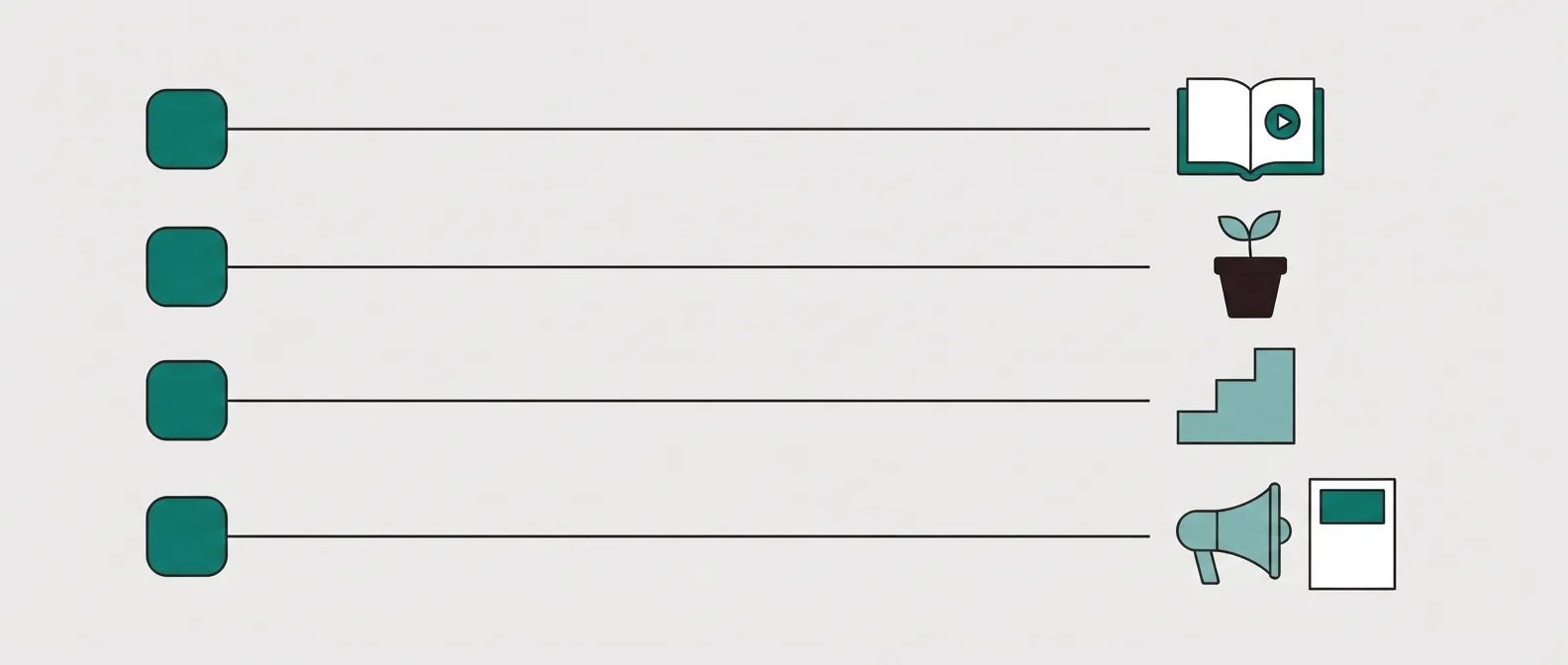
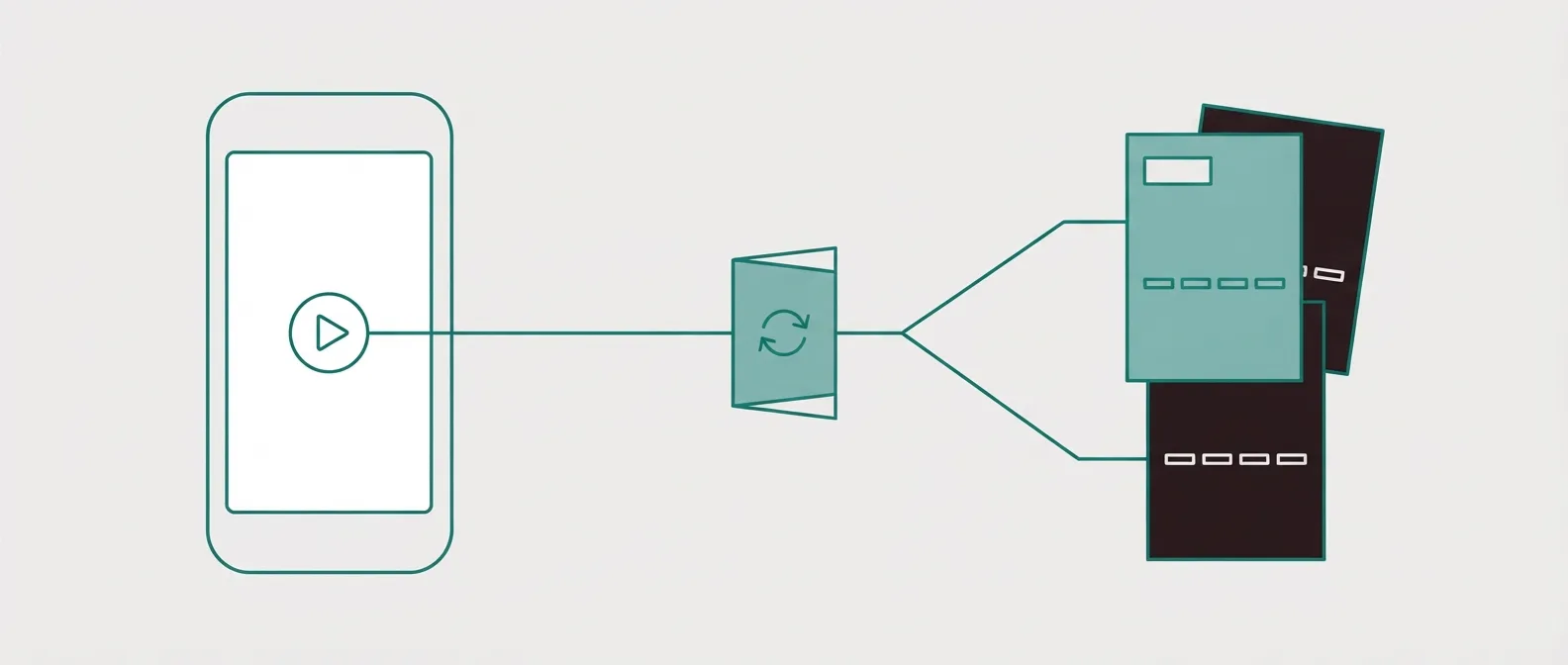
How we judged these

We do not run these tools on live campaigns. We read what long-term users report in public threads and on review sites, work through each vendor's own documentation and pricing pages, and verify every price directly with the vendor before it goes in a table. The ranking is ordinal: there is no score to defend, only an order and a clear reason for each place.

We weight four things, in order: whether a test protects ad learning, page speed and how fast you can ship a variant, conversion tracking back to the ad and the affiliate network, and total cost at real traffic. Read the full method.

The picks for coaches and course creators use a different rubric with the same research method. In order: can the course or program be delivered without another tool, does the checkout handle order bumps and upsells, are email and automations included, does the split test hold up for a coach running ads, and what does it cost once any fee on sales is added in.

The Facebook ads picks keep the same research method and look through Meta's eyes. In order: does a page test leave the ad's link alone, is the page built for a phone inside the app browser, do conversions reach Meta from the server, can you take payment on the page, and what does the plan that includes testing cost.

For Shopify stores the questions follow the order of the work. Where does the page publish, how many pages does the free or entry plan allow, which plan turns on testing and how is it metered, what do merchants report about store speed, and for an outside funnel, what reaches Shopify after the sale and what does not.

The WordPress picks start from the lane. For page builders we asked what the free plugin publishes, which tier unlocks templates and theme building, and whether A/B testing ships at all. For WooCommerce funnel plugins we asked which tier adds bumps, upsells and testing, what the licence renews at, and whether email lives in the same plugin. For hosted tools beside WordPress the test that keeps one ad link came first, then checkout and the monthly cost against a plugin licence.

The Google Ads picks read Google's own help pages on ad edits alongside each vendor's search-campaign pages. We asked, in order: can a page test run without editing the ad, can one page match many keywords, does the conversion reach Google Ads with its click ID, how fast is the page on a phone, and what does the plan that includes testing and keyword matching cost.

The lead generation picks use the same research method and a different set of questions. In order: where a finished form is delivered, whether monthly traffic is capped, whether texts and pipeline stages live in the same tool as the page, and what the plan that includes form testing actually costs.

For the small business picks we kept the method and changed the questions. In order: does one login cover the page, the checkout, the contacts and the follow-up, how much automation the affordable plan allows, what each sale costs in fees and usage charges, and, for an owner buying ads, whether a page test leaves the campaign link alone.

The ClickBank guide uses the same research method and a compliance rubric. We read ClickBank's promotional guidelines and paid traffic guide, the ElasticFunnels ClickBank integration page, catalog rows for trials and testing, and public threads about redirects. We did not run ads. In order: can the page live on your domain with the HopLink on the button, can a test stay on one URL, how the page loads on a phone, what it costs at bridge traffic, and whether ClickBank is reached by a HopLink or by a vendor pitch flow. The ClickBank picks by situation then reorder those builders by traffic source and budget: the one whose test plan, trial terms and traffic allowance match that situation wins, and the next closest is the runner-up. The full method covers how every price on this page was checked.

How to choose

Start with payment. If you never take money on the page, a builder plus tracking is enough, and you can rule out the funnel platforms. If you do, you want the checkout and the page on one record so attribution is not a spreadsheet exercise.

Then check the test. If you buy traffic on Meta, Google or TikTok, same-URL, server-side testing is worth more than a bigger template gallery. Then price it at your real traffic: add the visitor cap, the tier where testing turns on, and whether the trial needs a card.

If you sell a course or coaching

  1. Decide what the product is. If buyers log in to a course or a community, start with Kajabi or Systeme.io. If the funnel itself does the selling (a webinar, a challenge, an application call), start with ClickFunnels.
  2. Set the budget. Under $50 a month, Systeme.io is the one builder here with a free plan made for this. Between $100 and $200, line up Kartra Starter, ClickFunnels Launch, Systeme.io Unlimited and ElasticFunnels Starter. With delivery included and more to spend, Kajabi from $143.
  3. Check where buyers come from. If cold paid traffic fills the funnel, compare ElasticFunnels and ClickFunnels before you settle on a bundled course platform, since the split test is where an ad budget leaks.
  4. Count the fee on each sale. Kartra Essentials keeps 5%. ElasticFunnels charges 0.5% on its own gateways only. Kajabi, Kartra Starter, Systeme.io and ClickFunnels take nothing beyond card processing.

If your clicks come from Facebook and Instagram

  1. Name the conversion. A lead form points you to Swipe Pages, Leadpages or Unbounce. A sale on your own checkout points you to ElasticFunnels or ClickFunnels.
  2. Ask how the test runs. If a variant needs its own URL, every test means touching the ad. Shortlist the builders that rotate pages under one link.
  3. Price the testing plan. Unbounce, Instapage, Landingi and Swipe Pages all keep their testing above the entry plan, so compare the tier you will actually run.
  4. Size the test before you start it. A page split on a small budget can take weeks to say anything, so work out the visitors you need first.

If you sell through a Shopify store

  1. Count the pages you need live at once. One campaign fits a free plan on PageFly or GemPages. A page per angle or per creator points to GemPages Build and its unlimited publishing.
  2. Find where testing switches on. PageFly tests from Optimize, and Shogun meters tested shoppers. If you never plan to test, skip both of those tiers.
  3. Decide whether the upsell happens after the card is charged. If one-click upsells and a split test under one ad link matter more than staying on the store domain, look at a funnel platform that syncs orders back, such as ElasticFunnels.
  4. Check fulfillment and stock. An outside funnel has to land orders in Shopify for your 3PL. Ask what comes back the other way: products, stock counts and tracking numbers.

If your site runs on WordPress

  1. Decide whether you take payment. A lead page or a hold page needs a page builder only, so start with SeedProd. A WooCommerce sale with upsells needs FunnelKit or CartFlows.
  2. Decide whether you test. SeedProd and Elementor list no A/B testing. Thrive Optimize tests pages, and FunnelKit Plus and CartFlows test funnel steps.
  3. Price the second year. Compare renewal prices, which run up to double the first-year figure, and count the sites each licence covers.
  4. Decide where the ads point. If paid campaigns carry the business and a test must leave the ad link alone, run the campaign pages on a hosted funnel such as ElasticFunnels and keep WordPress for content.

If your clicks come from Google search

  1. Count your ad groups. A handful of tight groups can each have their own page. Dozens of keyword variations point to dynamic text replacement on Leadpages or Unbounce, or Swipe Pages' page per ad group.
  2. Name the conversion Google should learn from. A lead form can report from the page. A sale on your own checkout needs a tool that sends the purchase back with the gclid, such as ElasticFunnels.
  3. Check how a test reaches the ad. If a variant needs its own URL, you will be editing ads or keyword URLs to run it. Favor tools that split behind one final URL.
  4. Price the plan you will test on. Leadpages tests from Grow, Unbounce from Experiment, and Instapage and Landingi from their Optimize tiers.

If you are paid per lead

  1. Name who works the lead. A buyer or a network points to Swipe Pages or Leadpages. If you call and text the lead yourself, start with GoHighLevel.
  2. Match the cap to the clicks you expect. Leadpages states no traffic cap. On Unbounce, Swipe Pages and Landingi, price the tier you will hit once the form converts.
  3. Check who must hear about the lead. If a tracker or an affiliate network needs a postback, and you want the page test under one ad link, shortlist ElasticFunnels.
  4. Start free when the offer is unproven. Systeme.io's free plan covers the first 2,000 contacts. Move once the form earns its keep.

If you run a small business

  1. Find where the sale closes. A checkout on the page points to Systeme.io, ClickFunnels or ElasticFunnels. A booked call or an appointment points to GoHighLevel.
  2. Count your follow-up channels. Email alone fits Systeme.io. Texts and calls fit GoHighLevel, once you have priced the usage.
  3. Decide whether ads fill the funnel. If you pay for clicks and want to test pages under the same ad link, add ElasticFunnels to the shortlist.
  4. Read the plan table before the homepage price. Builderall's funnel builder starts at Advanced, and Kartra's entry plan keeps a share of sales.

If you promote a ClickBank offer

  1. Name your role. An affiliate needs a page and a HopLink button. A ClickBank vendor also has a pitch flow to set up, and split tests can still sit behind those nodes.
  2. Name the traffic source. Facebook and Instagram clicks land on a phone, so load speed comes first. Search clicks reward a headline that repeats the keyword. The ClickBank picks give a winner for each.
  3. Protect the ad link. When learning is fragile, a builder that rotates variants under one URL outranks the cheapest page tool.
  4. Start free when the offer is unproven. Systeme.io's free account covers the first bridge. Move up when an angle wins.
  5. Read the offer's affiliate tools page before you write. Category rules and required lines live there, and they change from offer to offer.

What counts as a lander

A lander is the page a paid click arrives on: a pre-sell, an advertorial, a quiz or a straight offer page. A landing page builder for affiliates is the software that builds it, tests versions of it, and pushes conversions back to the ad platform and the affiliate network. It is judged less on how pretty the page is and more on speed, testing that survives ad review, and tracking.

What is course sales funnel software?

Course sales funnel software is hosted software that joins the pages a buyer sees, the checkout, the follow-up emails and, usually, the course or membership the buyer logs into afterwards. The creator owns the offer and takes the payment, so checkout and delivery weigh as much as the page does. The common coach funnels are a webinar registration, an application page that books a high-ticket call, and a low-priced course with an order bump and an upsell into a program.

What is a Meta ads landing page builder?

A Meta ads landing page builder is a landing page builder judged on the traffic Facebook and Instagram send: phone visitors in an in-app browser who arrived from a single ad. What sets one apart is a light mobile page, conversion events sent back to Meta, and a way to test versions of the page while the ad keeps one destination.

What is a Shopify landing page app?

A Shopify landing page app is a page builder installed from the Shopify App Store that publishes drag-and-drop pages, or sections inside the theme, on the store's own domain. The products, cart and checkout stay Shopify's. The app replaces the theme layout for the pages a campaign sends traffic to, and the paid plans add more live pages, AI page generation and A/B tests.

What is a WordPress landing page builder?

A WordPress landing page builder is a plugin that draws single-purpose pages inside a WordPress site with a visual editor, using the site's own domain and hosting. A WordPress funnel builder is a different plugin, usually for WooCommerce, that strings the steps after the click together: checkout, order bump, upsell and thank-you page. Many stores run one of each.

What is Google Ads landing page software?

Google Ads landing page software builds the pages that search ads point to and is judged on what Google measures after the click. Three features set it apart from a general website builder: keyword matching that writes the search term into the page, testing that leaves the ad's final URL unchanged, and conversion tracking that reports leads or sales back to Google Ads.

What is lead generation landing page software?

Lead generation landing page software builds a page whose conversion is a form: a name, an email, a phone number, sometimes a short quiz. You judge it on how many people finish that form, on where the lead is delivered, and on whether the ad platform hears about the submit. A funnel platform adds a checkout and upsells, which you need when some offers take payment on your site.

What is sales funnel management software?

Sales funnel management software keeps every stage of a sale in one hosted account: the landing page and form, a contact record for each person, pipeline stages a deal moves through, and the emails or texts that chase it. An owner opens one screen and sees who signed up, who booked, who paid and who went quiet. Automated sales funnel software is the part of it that acts on triggers, such as a purchase that tags a contact and starts a sequence.

What is a ClickBank landing page?

For an affiliate, it is the page you host between the ad and the vendor. The ad opens your address. The button carries the HopLink. For the marketplace, that page sits in front of a direct response offer: ClickBank describes a sales page, affiliate resources and an order form, and the sales page is the vendor's to build.

Frequently asked questions

What is the best landing page builder for affiliates?
For affiliates buying paid traffic, ElasticFunnels is our pick because it split-tests variants under one URL, so a test does not reset the ad platform learning, and it keeps the page, checkout and attribution on one record. It is newer than the incumbents, so test it on your own traffic first. Unbounce is the pick if you only need the page and no checkout.
Do I need a checkout, or just a landing page?
If you promote network offers (ClickBank, BuyGoods, native) you never take payment, so a page builder plus tracking is enough. If you sell your own offer, you also need a checkout with bumps and upsells, which is where a funnel platform beats a pure page builder.
Why does same-URL split testing matter for paid traffic?
When a test changes the destination URL, Meta and Google can treat it as a new ad and reset the learning phase, which spikes your costs for days. Tools that rotate variants server-side under one URL avoid that reset.
What is the cheapest way to start?
Systeme.io has a free plan with three funnels, a checkout and 0% transaction fees, no card required. Landingi has a low-cost entry plan for small volumes. Watch the visitor caps as your spend grows.
Is Kajabi worth it if I only sell one course?
Rarely. The fee earns its keep when Kajabi also replaces your email tool, website and checkout. For one course on its own, a Systeme.io plan costs a fraction of it.
Systeme.io or Kajabi for selling courses?
Start on Systeme.io while you prove the offer and keep the bill small. Move to Kajabi when coaching, community and a growing course catalog become one business you want under one roof.
ClickFunnels or Kajabi for a coach?
ClickFunnels when a webinar or challenge funnel brings in the buyers. Kajabi when the course and the community are what people pay for.
Do I need ElasticFunnels if I already use Kajabi?
Only if you buy ads to your offer and want split tests that leave the campaign alone, plus checkout data tied to each ad. The course can stay where it is.
What makes a good landing page for Facebook ads?
It loads quickly on a phone inside the Facebook or Instagram app, repeats the promise the ad made, and asks for one action. Then you test it while the ad keeps the same link.
Does editing my landing page reset Facebook ad learning?
Changing the URL in the ad does, and so does launching fresh ads for a new URL. Changing what a visitor sees behind the same link does not touch the ad itself.
Is a same-URL page rotation against Meta ad rules?
We found no settled answer. Media buyers argue both ways in public threads. Keep every variant consistent with the ad and within Meta's advertising policies, since review judges what the page shows.
Should my first Facebook ads test run on a free builder?
If the offer is unproven, yes. Systeme.io gives you funnels and a checkout for nothing, and you can move to a builder with stronger testing once spend settles.
What is the best free landing page builder for Shopify?
PageFly Free: one live page with no card. GemPages Free also gives one page and adds small-scale upsells.
Which Shopify landing page app is best for A/B testing?
PageFly from its $39 Optimize plan. Shogun Build costs the same but meters testing by shoppers, which runs out fast on ad traffic.
Can I send Meta ads to a page outside my Shopify theme?
Yes. A funnel platform can host the page and checkout on another domain and push the paid order into Shopify, so fulfillment does not change.
Does ElasticFunnels reduce inventory in Shopify when an order syncs?
No. Stock in Shopify stays where it was, so keep inventory counts in step another way if you sell from both.
What is the best free landing page builder for WordPress?
SeedProd Lite for a coming-soon page or one simple lander. Elementor's free plugin if you also want to redesign other pages on the site.
CartFlows or FunnelKit for a WooCommerce funnel?
FunnelKit if you expect to want email automations in the same plugin later. CartFlows if you only need the funnel steps and like its editor better.
Is Elementor enough to build a sales funnel?
It builds the pages well. The checkout steps, order bumps and upsells come from a funnel plugin such as CartFlows or FunnelKit, and Elementor lists no A/B testing of its own.
Can I use ElasticFunnels with a WordPress site?
Yes, side by side. It is hosted software, so the campaign pages and checkout run on their own domain and your WordPress site carries on with the blog and the rest.
What is the best landing page builder for Google Ads?
It depends on what the click should end in. For a lead form across many keywords, Leadpages Grow. For a sale on your own checkout, ElasticFunnels. For a mature testing setup with budget behind it, Unbounce.
Will changing my landing page reset my Google Ads stats?
Editing the ad can. The in-line editing help says an edited ad's stats reset to zero, and saving the edit creates a new version. Serving another page behind the final URL you already use leaves the ad itself alone. A keyword URL edit is less clear, because that same help page also says the keyword keeps its stats.
Does dynamic text replacement raise Quality Score?
Unbounce and Leadpages say it does, by making the page more relevant to the search. We have no measurement of our own, and Google weighs landing page experience alongside expected click-through rate and ad relevance.
Can a landing page builder report sales back to Google Ads?
Some can. ElasticFunnels keeps the gclid from the visit and uploads the purchase as an offline conversion. Swipe Pages sends lead events. Others rely on the Google Ads tag you place on the page.
What is the best landing page builder for lead generation?
Match the tool to who works the lead. Swipe Pages when a buyer pays you per qualified form. GoHighLevel when you text and pipeline the contact yourself. ElasticFunnels when you buy the clicks and a network has to hear about each lead.
What counts as lead gen landing page software?
A builder whose finished page collects a name, email or phone number and sends that lead to a CRM, an email tool, a buyer or an ad platform. A checkout is a separate job.
Are Meta instant forms better than a hosted lead page?
They are quicker to submit, which holds down the cost of a top-of-funnel lead. A hosted page asks the visitor to read the offer first, so the leads that arrive have seen it.
Which lead page builder lets traffic grow without an overage?
Leadpages states unlimited traffic on every plan. Unbounce Build and Swipe Pages Startup each stop at 20,000 visitors a month.
What is the best sales funnel software for a small business?
Begin on Systeme.io for free. Switch to GoHighLevel when bookings and texts drive sales, or to ElasticFunnels when paid ads drive them.
Which all-in-one funnel tools take no share of my sales?
Systeme.io, ClickFunnels and Kartra from Starter upward say they take none. ElasticFunnels keeps 0.5% of revenue on its own gateways, and Kartra Essentials keeps 5%.
Where does a ClickBank HopLink belong?
On the button of a page you host. The ad opens that page.
Can I send paid traffic to a blog post that contains a ClickBank link?
A public affiliate thread recommends a page built for the offer. A blog post has other jobs, and the link is easy to miss.
Should the bridge collect an email before the HopLink?
ClickBank tells affiliates to capture leads and work the backend. The form can live on your page, with the tracking link still on the button.
Does a ClickBank affiliate need a checkout?
The vendor order form takes the card. Your page has to earn the click that reaches it.
What is the best landing page builder for ClickBank?
ElasticFunnels when you test bridge angles on paid traffic, Swipe Pages for phone-heavy Meta campaigns, Systeme.io for a first page on a free account, and Leadpages for search clicks.
Is there a ClickBank landing page generator?
Most results are template packs. A hosted builder does the same job and also publishes the page on your domain. ElasticFunnels can draft one from a prompt or copy an existing page from its URL.
Which ClickBank page builders can I start without a credit card?
Systeme.io on its free plan, plus the 14-day trials from Swipe Pages and ElasticFunnels. Leadpages and Landingi ask for a card to start a trial.

Changes to this page

  • 2026-10-14. Added ClickBank picks by situation: six winners with runners-up by traffic source, budget and role (affiliate or vendor). Moved the short picks out of the ClickBank guide into that section, and added a ClickBank item under What to watch for, a step under How to choose and three questions in the FAQ.
  • 2026-10-13. Added a ClickBank landing page guide: the bridge steps, three page structures, a six-builder table, picks with runners-up, ClickBank items under What to watch for, How we judged and How to choose, a definition, and four questions in the FAQ.
  • 2026-10-12. Added picks for small businesses: a table of six all-in-one funnel tools, five picks with runners-up, small business items under What to watch for, How we judged and How to choose, a definition of sales funnel management software, and two small business questions in the FAQ.
  • 2026-10-12. Corrected the Google Ads note on keyword URL edits. Google's in-line editing help says both that an edit resets stats and that a keyword landing-page URL keeps them, so the page no longer treats one of those lines as settled.
  • 2026-10-12. Added picks for lead generation: a comparison table of seven builders, five picks with runners-up, lead-gen items under What to watch for, How we judged and How to choose, a definition of lead generation landing page software, and four lead-gen questions in the FAQ.
  • 2026-10-12. Added picks for Google Ads: a search comparison table of seven builders, four picks with runners-up, Google items under What to watch for, How we judged and How to choose, a definition of Google Ads landing page software, and four Google Ads questions in the FAQ.
  • 2026-10-12. Added picks for WordPress sites: a table of three page builder plugins, two WooCommerce funnel plugins and one hosted platform, four WordPress picks with runners-up, WordPress items under What to watch for, How we judged and How to choose, and four WordPress questions in the FAQ.
  • 2026-10-12. Added picks for Shopify stores: a table of four Shopify landing page apps and one outside funnel platform, four Shopify picks with runners-up, Shopify items under What to watch for and How to choose, and four Shopify questions in the FAQ.
  • 2026-10-12. Added picks for Facebook and Instagram ads with a Meta comparison table, Meta steps in How to choose, three Meta items under What to watch for, and four Meta questions in the FAQ.
  • 2026-10-11. Added picks for coaches and course creators, a course-sales comparison table, creator steps in How to choose, and four creator questions in the FAQ.
  • 2026-09-27. First published.

What we read for the creator picks

Other sources

3 discussions and reviews read for this page. Quotes are excerpts; open a link to read the original in context.

  1. [c1] Is ClickFunnels overkill if I'm just starting? Reddit
  2. [c2] Kajabi free trial vs $99 for 3 months Reddit
  3. [c3] Systeme.io reviews Trustpilot

Plan prices, trials and course limits come from each vendor's own pricing page, listed under Sources on its review.

What we read for the Facebook ads picks

Other sources

5 discussions and reviews read for this page. Quotes are excerpts; open a link to read the original in context.

  1. [m1] ElasticFunnels: how to split test landing pages Blog
  2. [m2] Swipe Pages: paid social use case Blog
  3. [m3] Instapage: landing pages for ads Blog
  4. [m4] Unbounce pricing Blog
  5. [m5] Systeme.io pricing Blog

What we read for the Shopify picks

Other sources

8 discussions and reviews read for this page. Quotes are excerpts; open a link to read the original in context.

  1. [s1] PageFly pricing Blog
  2. [s2] PageFly A/B testing Blog
  3. [s3] GemPages pricing Blog
  4. [s4] Shogun pricing Blog
  5. [s5] Replo pricing Blog
  6. [s6] ElasticFunnels Shopify integration Blog
  7. [s7] Are page builders (PageFly, Gem, etc.) worth it? Reddit
  8. [s8] Page builder recommendations Reddit

What we read for the WordPress picks

Other sources

8 discussions and reviews read for this page. Quotes are excerpts; open a link to read the original in context.

  1. [w1] SeedProd landing page builder Blog
  2. [w2] SeedProd pricing Blog
  3. [w3] Elementor Pro plans Blog
  4. [w4] Thrive Optimize Blog
  5. [w5] CartFlows and website performance Blog
  6. [w6] CartFlows pricing Blog
  7. [w7] FunnelKit plans Blog
  8. [w8] ElasticFunnels Blog

What we read for the Google Ads picks

Other sources

6 discussions and reviews read for this page. Quotes are excerpts; open a link to read the original in context.

  1. [g1] Google Ads Help: in-line editing Blog
  2. [g2] Unbounce: Dynamic Text Replacement Blog
  3. [g3] Unbounce for PPC Blog
  4. [g4] Leadpages: PPC landing pages Blog
  5. [g5] Swipe Pages: landing page for Google Ads Blog
  6. [g6] ElasticFunnels integrations Blog

What we read for the lead generation picks

Other sources

8 discussions and reviews read for this page. Quotes are excerpts; open a link to read the original in context.

  1. [lg1] Swipe Pages: paid social Blog
  2. [lg2] Swipe Pages on instant forms Blog
  3. [lg3] Leadpages pricing Blog
  4. [lg4] Unbounce pricing Blog
  5. [lg5] GoHighLevel Blog
  6. [lg6] Systeme.io pricing Blog
  7. [lg7] ElasticFunnels integrations Blog
  8. [lg8] ElasticFunnels Blog

What we read for the small business picks

Other sources

6 discussions and reviews read for this page. Quotes are excerpts; open a link to read the original in context.

  1. [sb1] Systeme.io pricing Blog
  2. [sb2] Systeme.io marketing automation Blog
  3. [sb3] GoHighLevel pricing FAQ Blog
  4. [sb4] GoHighLevel pricing FAQ Blog
  5. [sb5] ClickFunnels pricing FAQ Blog
  6. [sb6] Builderall plans Blog

Keep reading

Marcus Reeve

Written by

Marcus Reeve

Editor

Marcus leads the rankings at Lander Report. He reads the long threads where media buyers argue about which builder survives a Meta review and which one resets their ad learning, works through the vendors' own docs and pricing pages, and verifies every price before it goes into a table. He writes the roundups and the head-to-heads, and he cares most about one question: does a test cost you your campaign's learning phase?

marcus.reeve@landerreport.com

Last checked 2026-10-14