Quick answer
Pick Kartra if you sell your own courses or coaching and want the pages, email, checkout and affiliate tools in one account. Pick Builderall if you want more tools for less money each month.
- Kartra, our pick. Best for selling your own offer with built-in email. From $52/mo.
- Builderall. Best for websites, email, checkout and courses together on a low monthly bill. From €7.50/mo.
Side by side
| Tool | Split testing | Checkout | Free trial | From |
|---|---|---|---|---|
| 1. Kartra | Page-level, not same-URL | Yes | 14-day, card | $52/mo |
| 2. Builderall | No same-URL testing | Yes, from Essentials | No trial, 30-day refund | €7.50/mo |
Where each one wins
Kartra
What works
- Reviewers treat the single account as the point of the product. That account holds the pages, email, SMS, checkout, courses, memberships, a helpdesk and an affiliate program for your own offer. People who switched say they cancelled separate email, cart and course subscriptions.
- Starter and the plans above it take no cut of your sales. They include unlimited pages, products and courses, plus webinars. For a creator selling their own offer, that is a lot of platform for $99 a month on the annual plan.
- Kartra has been around since 2018, and the vendor reports more than 60,000 customers.
What to watch
- It is built for selling your own courses and coaching. Cold paid traffic is a poor match for it. There is no same-URL, server-side split testing, so a page test can reset the ad learning Meta and Google rely on, and there are no affiliate-network postbacks for buying traffic.
- Reviewers who contact support report multi-day waits and generic 'clear your cache' replies, and even satisfied users call the team slow to respond.
- Essentials is a thin plan: 5 pages and 1 product, plus a sales fee. Starter drops that fee and raises the limits. New users also find the editor dated and slow to learn.
Builderall
What works
- One subscription includes a website builder, a funnel builder, MailingBoss email, SuperCheckout, booking, courses, webinars, a CRM and chatbots.
- The AI build tools are genuinely useful for shipping fast. An AI website builder generates structure and content, an AI email builder drafts broadcasts and sequences, and Magic Lab makes images. For someone launching many angles a week, that speed is real.
- Builderall reports more than two million users across 25-plus tools and has run for years, so it is a known quantity rather than a product that might disappear next year.
What to watch
- It is not built to run cold paid traffic. There is no same-URL server-side split testing. A page test can put the ad back into the learning phase on Meta and Google, and there are no postbacks to an affiliate network.
- Reliability is the sharpest complaint. Users report recurring weekly outages, with pages and SuperCheckout failing to load, as well as features breaking after major updates. When ads are running, downtime wastes the ad budget on a page people cannot open.
- Support and the email tool draw steady criticism for slow ticket replies, conflicting answers from agents, and poor MailingBoss deliverability. The wide toolkit also means less depth, and reviewers say many of the 25-plus tools fall short of products built for a single job.
Kartra vs Builderall comes down to price
You want one place for the page, the email and the checkout, and the shortlist is these two. Both will also host a course and run an affiliate program for your own offer. Kartra is the tighter system, built around selling that offer. Builderall includes more tools, and its annual plans cost less than the Kartra plan a seller actually uses.
Paid clicks are the shared weak spot, and the help pages are specific about it. Kartra's split-test article says the test lives on a special link that sends each visitor to one of up to four pages. Builderall's funnel pages describe an A/B test on the opt-in step, and they do not say those versions keep a single address. A destination change can put a Meta or Google campaign back into learning. If that is the job, the third option further down is the one built for it.
What each plan includes
Kartra's pricing page shows monthly prices first. The same page offers yearly billing and says you save up to 22%, with a 30-day money-back guarantee above the plans. Monthly prices are listed below. Yearly billing costs less.
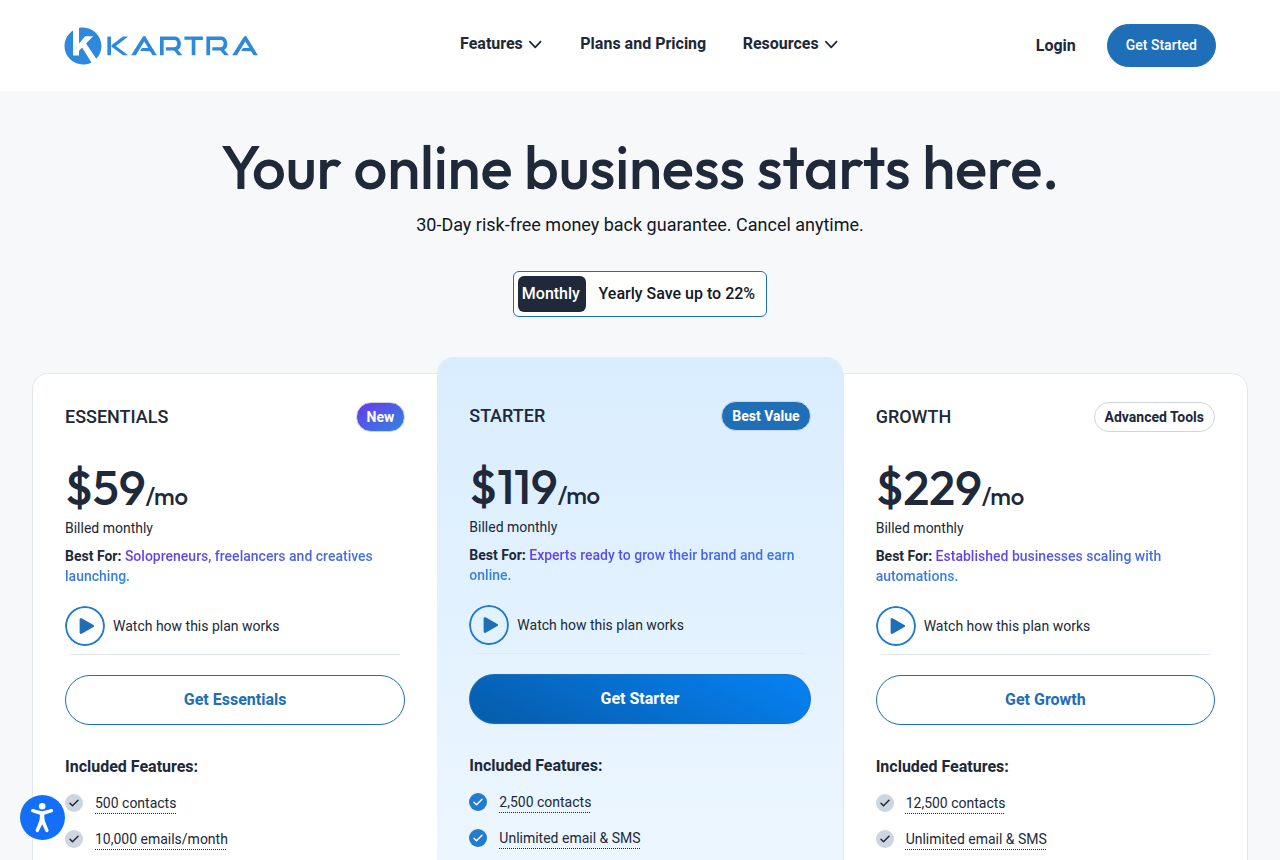
- Essentials, $59 a month: 500 contacts, 10,000 emails a month, and 5% of sales.
- Starter, $119 a month: 2,500 contacts and unlimited email and SMS.
- Growth, $229 a month: 12,500 contacts and unlimited email and SMS.
- Professional, $549 a month: 25,000 contacts, 5 custom domains, real-time funnel analytics and help desk live chat.
Look at Essentials before you choose it. Kartra's help center says the Essentials fee covers net sales and rebills, and the charge goes on a separate invoice each month. If the offer is already selling, use Starter. Essentials is the plan that adds the sales fee. The trial runs 14 days and asks for a card. Billing support refunds a paid subscription within 30 days of purchase and leaves the trial period out of that refund.
The screenshot below is Builderall's annual checkout. Every plan includes hosting and a domain mailbox, and the page says annual billing adds three months free. You start on a paid plan.
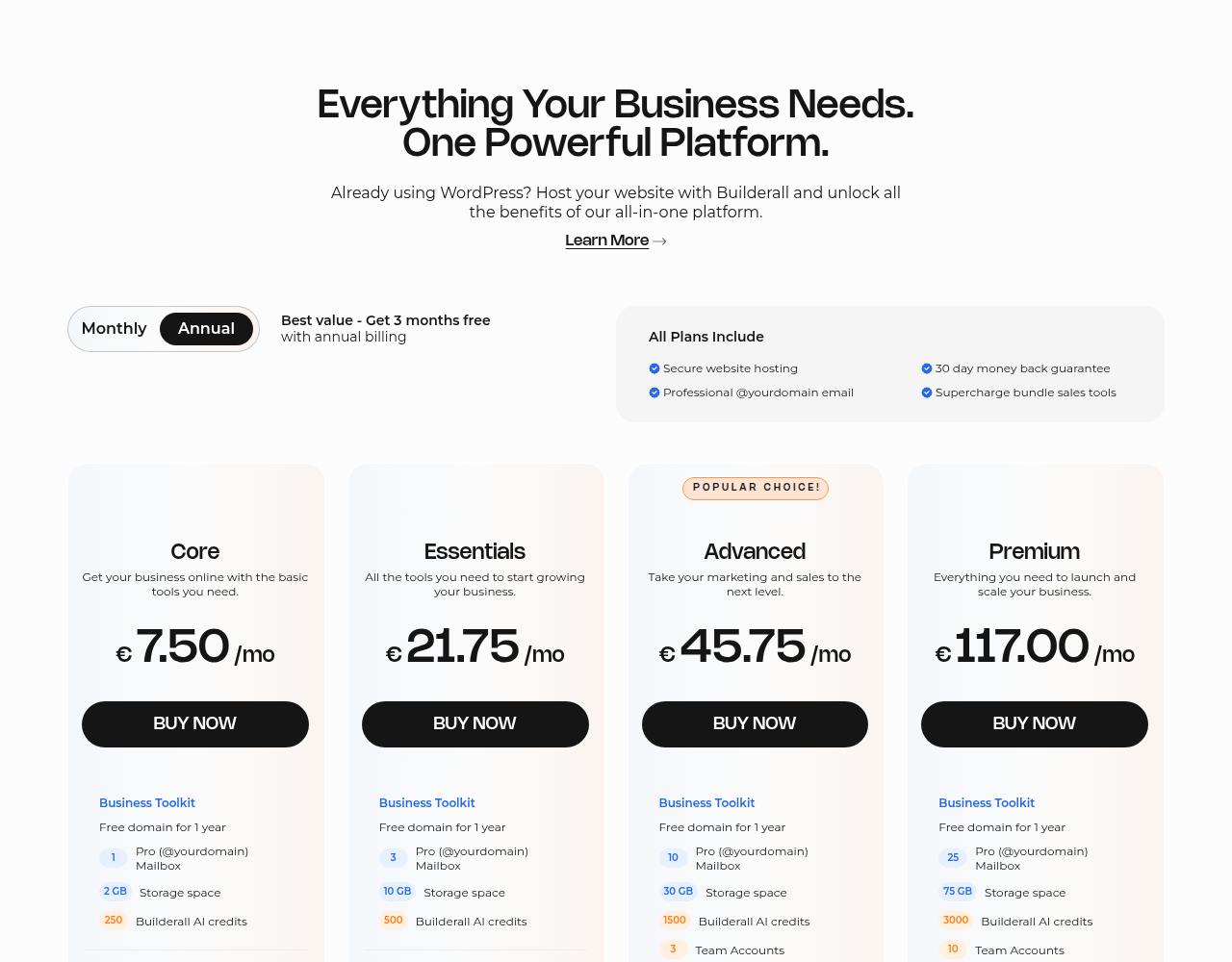
- Core, €7.50 a month: 1 mailbox, 2 GB and 250 AI credits.
- Essentials, €21.75 a month: 3 mailboxes, 10 GB, 500 AI credits and Supercheckout.
- Advanced, €45.75 a month: 10 mailboxes, 30 GB, 1,500 AI credits, 3 team accounts and funnels.
- Premium, €117 a month: 25 mailboxes, 75 GB, 3,000 AI credits and 10 team accounts.
Supercheckout starts on Essentials. Funnels start on Advanced. Core covers the website builder and one mailbox. If you need a funnel, you want that Advanced plan, and it still costs less per month than Kartra Starter.
Split testing when the click is paid
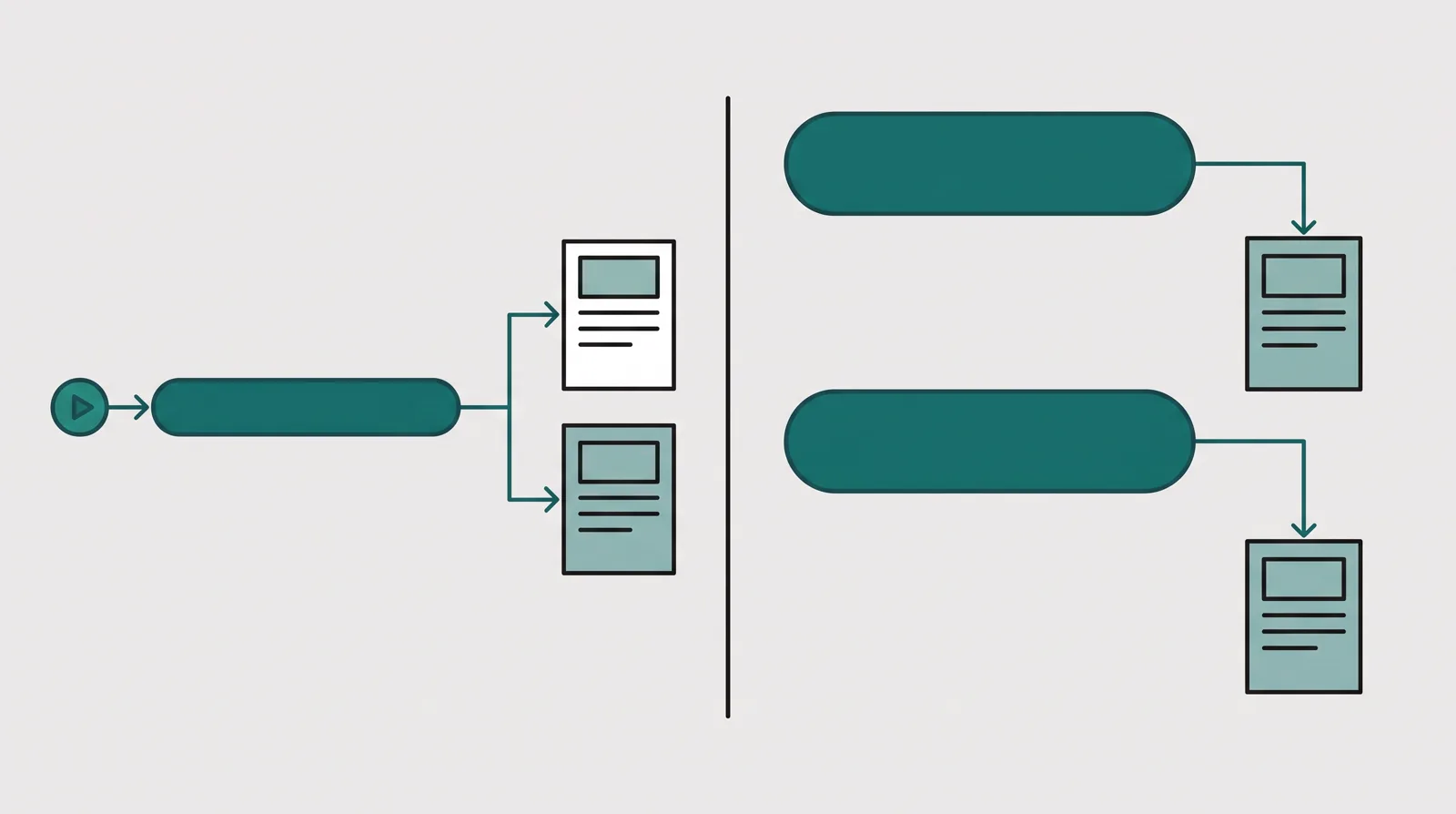
Kartra will split traffic. You set percentages that add up to 100%, pick a goal such as an opt-in or a purchase, and hand out the test link. The test link has its own URL. Sharing a single page URL skips the test.
Builderall's split test is on the funnel's first page. The write-up says you compare versions and then use the campaign results to decide what to change. The website builder also mentions A/B testing. The ad would use the URL of whichever version is running.
Anyone buying clicks to ClickBank, BuyGoods or Digistore24 has a second gap. Neither platform sends the sale back to the network. Each one runs an affiliate program for its own product. You still need a separate tracker with either platform.
What long-term users report
These notes come from long-term user reports, plus each vendor's help and pricing pages.
What people praise about Kartra is having email, checkout and courses in one account. People who brought their email, cart and courses into Kartra describe cancelling the other subscriptions. People keep bringing up support replies that take several days, and an editor that takes time to learn. The company has sold this bundle since 2018. Those slow replies and the editor are the problems they mention.
The strongest Builderall complaints are about uptime. Users report outages week after week, with pages and SuperCheckout failing to load, and features breaking after an update. Tickets sit, agents disagree, and MailingBoss draws its own complaints about mail that does not land. The low bill is why people put up with it. If the landing page is down while ads are running, that spend is wasted.
Which one should you pick?
Kartra, when the offer is yours
Choose Kartra when you sell a course, coaching or a membership and you want the checkout, the messages and your own affiliates together. It is the steadier of the two for that work. Expect slow support replies, and an editor that takes time to learn. Pass on Essentials if the offer is already selling, because of the sales fee on Essentials.
The Kartra review walks through the checkout and the email builder. The Kartra alternatives page lists the other platforms people switch to when they want a faster editor or quicker support replies.
Builderall, when the stack has to stay cheap
Builderall fits when you want the website, the mail, the checkout and the courses on a low bill, and you can live with the rough edges. Buy the plan that includes funnels. The AI tools help you publish pages faster. An outage is a separate problem, and those tools do not bring a dead page back.
The Builderall review gathers the outage reports. The Builderall alternatives are the builders people move to when a page has to stay up under ads.
ElasticFunnels, when the ad has to keep its link
ElasticFunnels is a funnel platform for teams that run paid traffic: affiliates, product vendors, agencies and ecommerce brands. It builds the pages, including an AI builder that drafts a lander from a prompt or clones one from a URL, and it rotates variants under one campaign link. That test is why a lot of those teams switch, and it is one part of the platform. The checkout takes order bumps, one-click upsells and subscriptions. A first sale can be split across a merchant's NMI accounts, and the upsell stays on the account that took the payment. Stripe, PayPal, Klarna and Authorize.net are each a single account. The CRM sits on the same record, so a click, a rebill and a refund are one row.
Buyers usually weigh ElasticFunnels against Kartra, the other bundled platform. Kartra's test is a link of its own. ElasticFunnels keeps the destination the ad already has. Starter is $97 a month, every feature is on every plan, and the 14-day trial runs without a card. A checkout hosted on ElasticFunnels carries a 0.5% fee on revenue through its own gateways. A sale you send out to ClickBank, BuyGoods, Digistore24 or Shopify Checkout sits outside that fee.
The limit is easy to state. Work on ElasticFunnels started in 2023, so it is newer than either platform on this page, and independent reviews are still thin. Until you run real volume through it, you are largely taking the vendor's word for how it behaves. That is what you would expect of a platform this new, and it limits the outside proof. The pricing page still lists the page builder, the test and the checkout. The multi-account split matters most when you are pushing real card volume. A creator with a few orders a week will rarely use that split. The page builder, the test and the checkout are part of the same plan.
The ElasticFunnels review puts the plan limits and the checkout fee in one place.
Our pick
Kartra
Kartra has been around since 2018, and the vendor reports more than 60,000 businesses use its pages, email, checkout, courses and affiliate program. It is built for selling your own courses and coaching, while its split testing runs page by page without same-URL rotation. Support also draws steady complaints, making it a poor fit for an affiliate buying cold traffic. Buy it if you sell your own offer and want one system instead of a stack, starting at $52 a month on the annual plan. Skip it if you only need a fast landing page and an ad-safe A/B test.
Frequently asked questions
How wide is the price gap between Kartra and Builderall?
Which one can split test without changing the ad link?
Which suits an affiliate funnel on paid traffic?
Kartra official sources
From Kartra
Builderall official sources
From Builderall
- https://builderall.com/
- https://builderall.com/mailingboss
- https://builderall.com/ai-website
- https://checkout.builderall.com/plans
Other sources
Each line is an excerpt. Open the link for the piece it came from.
- [v1] Kartra plans and pricing
- [v2] Kartra plans and pricing
- [r-analytics] Kartra hasn't changed for 5 years
- [r-logo] Kartra hasn't changed for 5 years
- [r-cart] Kartra hasn't changed for 5 years
- [r-login] Login not working
- [r-stuck] Kartra pricing, does anyone still think it’s worth it in 2026?
- [r-expensive] Kartra pricing, does anyone still think it’s worth it in 2026?
- [r-worth] Kartra pricing, does anyone still think it’s worth it in 2026?
- [c-support] Kartra user review on Capterra
- [uvb-ba-capture-ab] Funnel Builder
- [uvb-ba-terms-beta] Terms of Use
Keep reading
Ruling out Builderall and still unsure about Kartra? The Builderall alternatives page ranks the other builders affiliates move to for paid traffic.
Comments
No comments yet. Questions and your own experience are welcome.
Thank you. Your comment will appear once it has been reviewed.